
- What Is Google AdSense and How It Works
- AdSense Requirements 2026 — What Google Actually Checks
- The 5 Mandatory Pages Before Applying
- Content Requirements — 15-25 Quality Posts
- Step-by-Step: How to Apply for Google AdSense 2026
- How to Add AdSense Code to WordPress
- Most Common Rejection Reasons (and How to Fix Them)
- What to Expect from AdSense Earnings
- AdSense Alternatives When You Are Ready to Scale
- FAQ
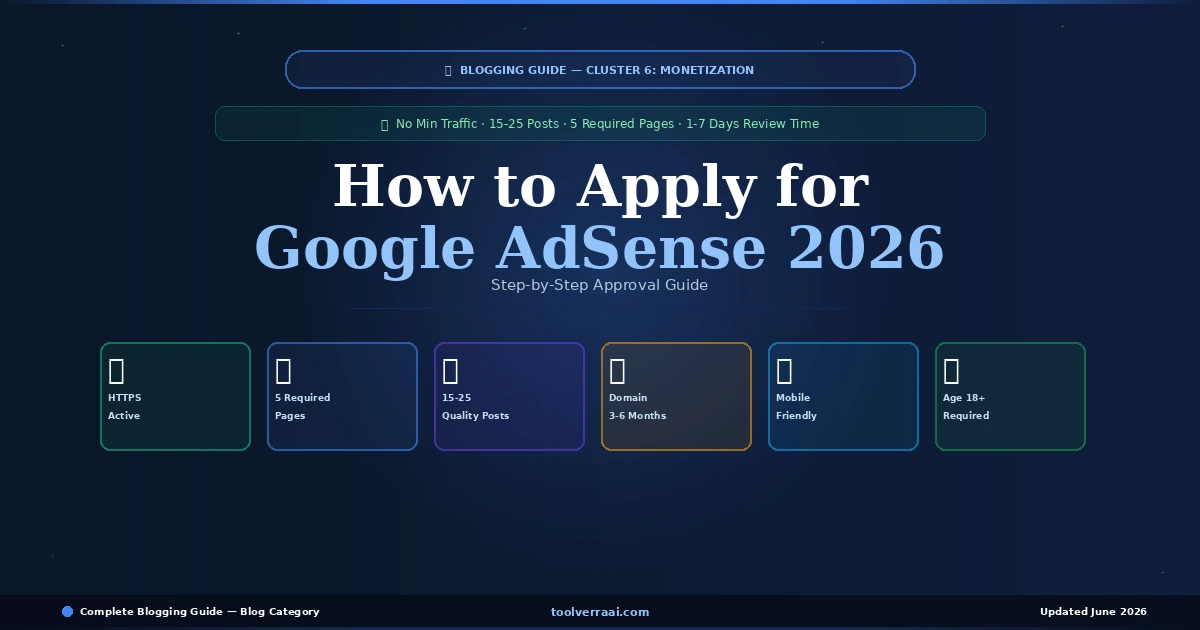
Understanding how to apply for Google AdSense in 2026 is the first step toward earning money from your blog. Google AdSense remains the most accessible entry point into blog monetization — unlike Mediavine (50,000 sessions minimum) or Raptive (100,000 pageviews minimum), AdSense has no official minimum traffic requirement. This complete guide on how to apply for Google AdSense 2026 covers the exact requirements, the 5 mandatory pages, the step-by-step application process, and how to fix the most common rejection reasons.
The honest truth about how to apply for Google AdSense in 2026: most rejections happen because bloggers apply too early — before their blog has enough content, the right pages, or sufficient domain age. This guide tells you exactly when you are ready to apply and what to check before submitting your application to avoid rejection delays.
💰 What Is Google AdSense and How It Works in 2026
Google AdSense is an advertising network that allows blog owners to display Google ads on their site and earn revenue when visitors view or click those ads. Advertisers pay Google to show ads. Google shares a percentage of that revenue with you as the publisher. You do not need to find advertisers, negotiate rates, or manage ad campaigns — AdSense handles everything automatically.
| Ad Network | Min Traffic | Difficulty | Best For |
|---|---|---|---|
| Google AdSense | None officially ⭐ | Easy | New blogs — starting point |
| Mediavine | 50,000 sessions/mo | Medium | Established blogs — higher RPM |
| Raptive (AdThrive) | 100,000 pageviews/mo | Hard | High-traffic blogs — best RPM |
| Ezoic | No minimum | Medium | Growing blogs — between AdSense and Mediavine |
✅ How to Apply for Google AdSense 2026 — Requirements Google Actually Checks
As of February 2026, Google’s official AdSense requirements are deliberately broad. The key is understanding what Google’s reviewers actually look for when evaluating your application for how to apply for Google AdSense in 2026.
📄 How to Apply for Google AdSense 2026 — The 5 Mandatory Pages
Missing essential pages is one of the top rejection reasons for how to apply for Google AdSense in 2026. These pages must be live, accessible via your navigation menu, and contain genuine content — not placeholder text. Create all 5 before submitting your AdSense application.
- Privacy Policy — Required by law (GDPR, CCPA) and by AdSense. Must explain what data you collect and how you use it. Use a free Privacy Policy generator (iubenda or TermsFeed) — do not copy from another site.
- About Page — Who you are, why you started this blog, who it is for. Google reviewers look for a real person or team behind the site. Include a photo if comfortable. Builds E-E-A-T signals.
- Contact Page — Must include a working contact form or email address. Use the WPForms Lite plugin (free) for a clean contact form. This is a non-negotiable trust signal for AdSense reviewers.
- Disclaimer — For bloggers: affiliate disclaimer (if using affiliate links) and earnings disclaimer. Required by FTC in the US and strongly recommended globally. Template available free via FTC.gov.
- Terms of Use — Covers intellectual property, user conduct, and limitations of liability. Not always listed as mandatory but recommended for all blogs applying in 2026.
✍️ How to Apply for Google AdSense 2026 — Content Requirements
Content quality is the primary driver of AdSense approval or rejection in 2026. Google’s reviewers evaluate whether your blog provides genuine value to real readers. The 2026 guidelines require original, high-quality content that attracts an audience — which in practice means 15-25 well-written articles before applying.
| Content Factor | Minimum Standard | Recommended |
|---|---|---|
| Number of posts | 10-15 posts | 20-25 posts |
| Word count per post | 600+ words | 1,000-2,000 words |
| Content originality | 100% original ✅ | 100% original + researched |
| AI-generated content | Edited + fact-checked only | Human-reviewed, added examples |
| Images | At least 1 per post | Original or licensed images |
| Publishing frequency | Any | 2-3x per week for 3+ months |
🚀 How to Apply for Google AdSense 2026 — Step-by-Step Process
Go to adsense.google.com and click Get Started. Sign in with the Google account you want to use for AdSense payments. Use a professional Gmail account — ideally one that matches your blog name. Enter your blog’s URL (your custom domain, not a subdomain). Select your payment country carefully — this cannot be changed later.
Enter your full name and address exactly as they appear on official documents — this is used for tax forms and payment verification. Select your account type (Individual for personal bloggers). Ensure all information matches your bank account or payment method details to prevent payment delays later. AdSense will not pay until your information is verified and you reach the $100 payment threshold.
Read and accept the AdSense Program Policies. These are the rules that govern what content can display ads and how you can use AdSense. Reading them is not optional — violating these policies after approval results in account suspension. Key prohibitions: do not click your own ads, do not ask others to click your ads, do not place ads on prohibited content.
After completing sign-up, AdSense provides you with a small JavaScript code snippet to add to your WordPress site. This code tells Google your site exists and allows the review process to begin. There are two methods for WordPress:
How to Apply for Google AdSense 2026 — Two Methods for Adding the Code
Method 1 (Recommended): Site Kit by Google Plugin — Install the free “Site Kit by Google” plugin in WordPress (Plugins → Add New → search “Site Kit”). Connect it to your Google account and it automatically adds the AdSense code. No manual code editing required — the safest method for beginners.
Method 2: Insert Headers and Footers Plugin — Install “WPCode” (Insert Headers and Footers) plugin. Go to WPCode → Header & Footer → paste your AdSense code in the Header section → Save. This adds the code to every page of your site.
After adding your code and submitting your site for review, Google’s process involves both automated AI review and human reviewer evaluation. Most approvals or rejections come within 24 hours to 7 working days. You will receive an email at the Gmail address you used to sign up. During the review period: continue publishing quality content, do not make major site changes, and ensure your site stays live and publicly accessible.
❌ How to Apply for Google AdSense 2026 — Most Common Rejection Reasons
| Rejection Reason | How to Fix It | Reapply After |
|---|---|---|
| “Insufficient content” | Publish more posts — aim for 20-25 at 1,000+ words each | 2-4 weeks |
| “Site does not comply with policies” | Remove prohibited content, check all pages for policy violations | 1-2 weeks |
| Missing required pages | Add Privacy Policy, About, Contact, Disclaimer pages to footer | Days |
| Domain too new | Wait until domain is at least 3-6 months old | 3-6 months |
| Copied or thin content | Rewrite or delete thin posts, ensure all content is original | 2-4 weeks |
| No SSL/HTTPS | Activate free SSL in your hosting control panel | Days |
| Navigation issues | Ensure clear menu, all pages accessible, no broken links | Days |
📊 What to Expect from Google AdSense Earnings in 2026
Setting realistic expectations is essential before applying for Google AdSense in 2026. AdSense earnings vary significantly by niche, traffic volume, and audience location. US and UK audiences generate higher RPMs than audiences from lower CPC countries.
| Monthly Traffic | Estimated RPM | Monthly AdSense Earnings |
|---|---|---|
| 1,000 visitors | $2-8 | $2-8/month |
| 5,000 visitors | $3-10 | $15-50/month |
| 10,000 visitors | $4-12 | $40-120/month |
| 50,000 visitors | $5-15 | $250-750/month |
| 100,000 visitors | $8-20 | $800-2,000/month |
🔄 AdSense Alternatives When You Are Ready to Scale
🎯 Key Takeaways — How to Apply for Google AdSense 2026
- How to apply for Google AdSense 2026: no minimum traffic — focus on content quality and required pages
- Requirements: 18+ years old, HTTPS active, mobile-friendly, original content, 5 required pages
- 5 mandatory pages: Privacy Policy, About, Contact, Disclaimer, Terms of Use — all in footer
- Publish 15-25 quality posts (800+ words) before applying — 20+ gives best approval chances
- Wait at least 3-6 months after domain registration before applying
- Application process: adsense.google.com → Sign Up → Add code via Site Kit plugin → Wait 1-7 days
- Most rejections are fixable: missing pages, thin content, new domain, missing SSL
- AdSense RPM: $2-15 depending on niche and audience location
- Payment threshold: $100 before first payout
- AdSense is the starting point — affiliate marketing earns significantly more at same traffic
AdSense Approved ✅ — Now Add Affiliate Income
AdSense running · Next: add affiliate marketing for 5-20x more revenue
Drive More Traffic → Build Your Email List →How to Apply for Google AdSense 2026 — FAQ
Previous: How to Build an Email List · Related: Drive Traffic to Your Blog · Write a Blog Post That Ranks