
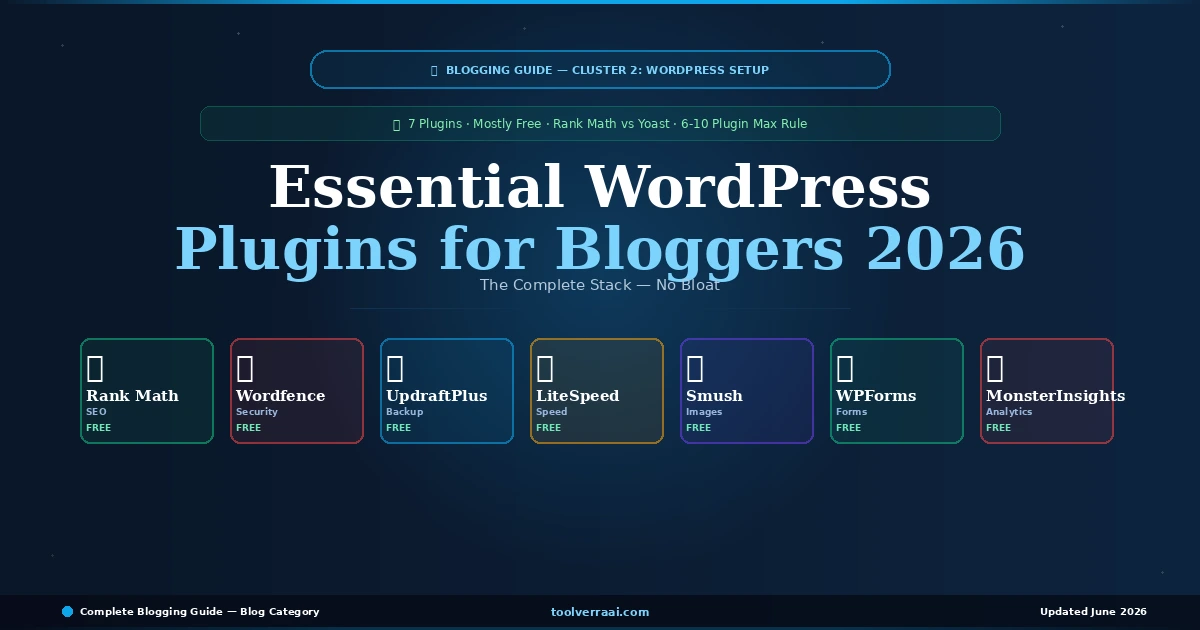
The essential WordPress plugins for bloggers in 2026 are not the same as the most popular WordPress plugins. They are the smallest set of plugins that gives your blog complete functionality — SEO, security, backups, speed, and images — without the performance overhead that comes from plugin overload. This guide on essential WordPress plugins for bloggers 2026 covers exactly what to install, what to skip, and why you should stay under 10 plugins when starting out.
WordPress has over 59,000 plugins in its official repository. Installing too many is one of the most common mistakes new bloggers make. Every plugin adds server load, increases update maintenance, and introduces potential security vulnerabilities. The question with essential WordPress plugins for bloggers 2026 is not “which plugins are good?” — it is “which plugins do I actually need to start and grow a successful blog?”
⚖️ The 6-10 Plugin Rule — Essential WordPress Plugins for Bloggers 2026
Before covering each essential WordPress plugin for bloggers in 2026, the most important rule: keep your plugin count between 6 and 10 for a new blog. Every plugin you install adds HTTP requests, database queries, and PHP processing on each page load. A blog with 25 plugins will load noticeably slower than one with 8 — even if each individual plugin is well-coded.
🏆 Rank Math vs Yoast SEO — Which to Choose in 2026?
The most debated question among the essential WordPress plugins for bloggers 2026: Rank Math or Yoast SEO? The answer in 2026 is clear — Rank Math wins on features per dollar, especially at the free tier.
⭐ Rank Math — Recommended
- Free: 5 focus keywords per post
- Free: Schema markup automation
- Free: 404 error monitoring
- Free: Keyword rank tracking (5 keywords)
- Free: Redirect manager
- Pro: $59/yr (vs Yoast $99/yr)
- Built-in AI content assistant (Pro)
- Most beginner-friendly interface
🟡 Yoast SEO — Alternative
- Free: 1 focus keyword only
- Free: Basic readability analysis
- Free: XML sitemap
- Premium: $99/yr
- Premium: Multiple keywords, redirects
- Longest track record — most trusted
- Better for teams familiar with it
- AI suggestions in Premium
Rank Math is the top pick for essential WordPress plugins for bloggers 2026. The free tier includes 5 focus keywords per post, automated schema markup, sitemap generation, 404 monitoring, and a redirect manager — features Yoast charges $99/year for. The setup wizard is one of the cleanest in the industry. ToolVerraAI runs Rank Math on this site — it is the SEO plugin we recommend for every new blogger.
Key rule: Install either Rank Math OR Yoast — never both simultaneously. Running two SEO plugins causes conflicts and double-counts data.
🛡️ Wordfence — Essential Security Plugin 2026
Wordfence is the most installed security plugin in the WordPress ecosystem with 4M+ active installs. The free version includes a web application firewall, malware scanner, brute force attack protection, and login security. Activating Wordfence immediately after installing WordPress is one of the most important steps in this essential WordPress plugins for bloggers 2026 guide. WordPress sites without security plugins are continuously targeted by automated bots scanning for vulnerabilities.
After installing: Run the initial scan, enable two-factor authentication for your admin account, and set the firewall to “Learning Mode” for 7 days before switching to “Enabled and Protecting.”
💾 UpdraftPlus — Essential Backup Plugin 2026
UpdraftPlus is the essential backup plugin for bloggers in 2026 with 3M+ active installs. The free version backs up your entire WordPress site — files and database — to Google Drive, Dropbox, or any remote storage. Schedule automatic daily or weekly backups. One-click restore when something breaks. The rule: set up UpdraftPlus before you publish your first article. Losing months of content because you forgot to configure backups is one of the most avoidable blogging disasters.
Setup in 3 steps: Install → Connect Google Drive (free) → Set schedule to weekly for new blogs. Increase to daily once you publish regularly.
⚡ LiteSpeed Cache vs WP Rocket — Which to Use?
If your hosting uses LiteSpeed servers — including Hostinger — LiteSpeed Cache is the essential speed plugin for bloggers in 2026. It works at the server level, delivering faster caching than any PHP-based alternative. Completely free with no restrictions. For bloggers on Hostinger, this is the correct choice over WP Rocket — better performance at zero cost.
WP Rocket is the #1 paid caching plugin in 2026 for bloggers on Apache or Nginx servers (Bluehost, SiteGround, Cloudways). It automatically applies 80% of web performance best practices on activation — no technical configuration needed. At $59/year for one site, it is worthwhile once your blog is generating consistent traffic. For brand new blogs: use the free W3 Total Cache until you have proven traffic, then upgrade to WP Rocket.
🖼️ Smush — Essential Image Optimization Plugin 2026
Smush automatically compresses and optimizes images on upload — a core part of any essential WordPress plugins for bloggers 2026 stack. Unoptimized images are one of the top causes of slow page load times and poor Core Web Vitals scores. The free version handles unlimited image compression, lazy loading, and WebP conversion. Install Smush before uploading your first blog images — retroactive bulk optimization is available but takes longer.
📬 WPForms Lite — Contact Form Plugin 2026
WPForms Lite is the essential contact form plugin for bloggers 2026 — simple, fast, and importantly required for Google AdSense approval. AdSense reviewers look for a working Contact page as part of site quality evaluation. The free version includes a basic contact form with drag-and-drop builder, spam protection, and email notifications. Create your Contact page, embed the form, and you have one of the AdSense requirements covered.
📊 MonsterInsights Lite — When to Add Analytics
MonsterInsights Lite connects Google Analytics to your WordPress dashboard — no code editing required. The free version shows you pageviews, sessions, top posts, and traffic sources directly in WordPress. The honest advice: connect Google Analytics via MonsterInsights from day one, but do not obsessively check it until you have at least 30 published articles. Checking traffic stats on a new blog with 5 posts is demoralizing and unproductive. Install it, connect it, then focus on publishing content for 3 months before analyzing patterns.
🎯 The Complete Essential WordPress Plugins Stack for Bloggers 2026
✅ Install These 7 — Nothing Else to Start
| Plugin | Category | Free? | Paid Option | Priority |
|---|---|---|---|---|
| Rank Math SEO | SEO | ✅ Full features | $59/yr Pro | ⭐ Day 1 |
| Wordfence | Security | ✅ Full firewall | $119/yr Premium | ⭐ Day 1 |
| UpdraftPlus | Backup | ✅ Remote backup | $70/yr Premium | ⭐ Day 1 |
| LiteSpeed Cache | Speed | ✅ Full (LiteSpeed) | Free only | ⭐ Day 1 |
| Smush | Images | ✅ Compress + WebP | $60/yr Pro | ⭐ Day 1 |
| WPForms Lite | Forms | ✅ Basic form | $49/yr Pro | ⭐ Day 1 |
| MonsterInsights Lite | Analytics | ✅ GA connection | $99/yr Pro | Week 1 |
🎯 Key Takeaways — Essential WordPress Plugins for Bloggers 2026
- Essential WordPress plugins for bloggers 2026: 6-7 plugins covers everything — no more needed to start
- Rank Math free beats Yoast free: 5 keywords vs 1, schema included, $59/yr Pro vs $99/yr
- Wordfence: install on Day 1 — WordPress sites are targeted by bots from day of launch
- UpdraftPlus: configure before publishing first article — losing content is avoidable
- LiteSpeed Cache: free and best if on Hostinger. WP Rocket ($59/yr) for Apache/Nginx servers
- Smush: install before uploading any images — retroactive bulk optimization takes time
- WPForms Lite: required for AdSense — contact form proves site legitimacy
- Never install both Rank Math AND Yoast — conflict guaranteed
- Stay under 10 plugins total until you have consistent traffic
- Next step: best hosting for your blog
Plugins Installed ✅ — Now Write Your First Article
Blog configured · Plugins active · Time to publish content that ranks
Best WordPress Themes 2026 → Best Hosting for Bloggers →Essential WordPress Plugins for Bloggers 2026 — FAQ
Previous: Best WordPress Themes for Bloggers · Next: How to Choose a Blog Niche · Best Hosting for Bloggers