
- Why Pinterest for Bloggers in 2026 — Key Data
- Step 1: Set Up Your Pinterest Business Account
- Step 2: Create SEO-Optimized Boards
- Step 3: Design High-Performing Pins
- Step 4: Pinterest SEO — Keywords Over Hashtags
- Step 5: The Fresh Content Rule
- Step 6: Scheduling — Tailwind vs Native Scheduler
- Step 7: Enable Rich Pins
- Step 8: Video Pins — 2x Engagement
- 30-Day Pinterest Action Plan
- FAQ
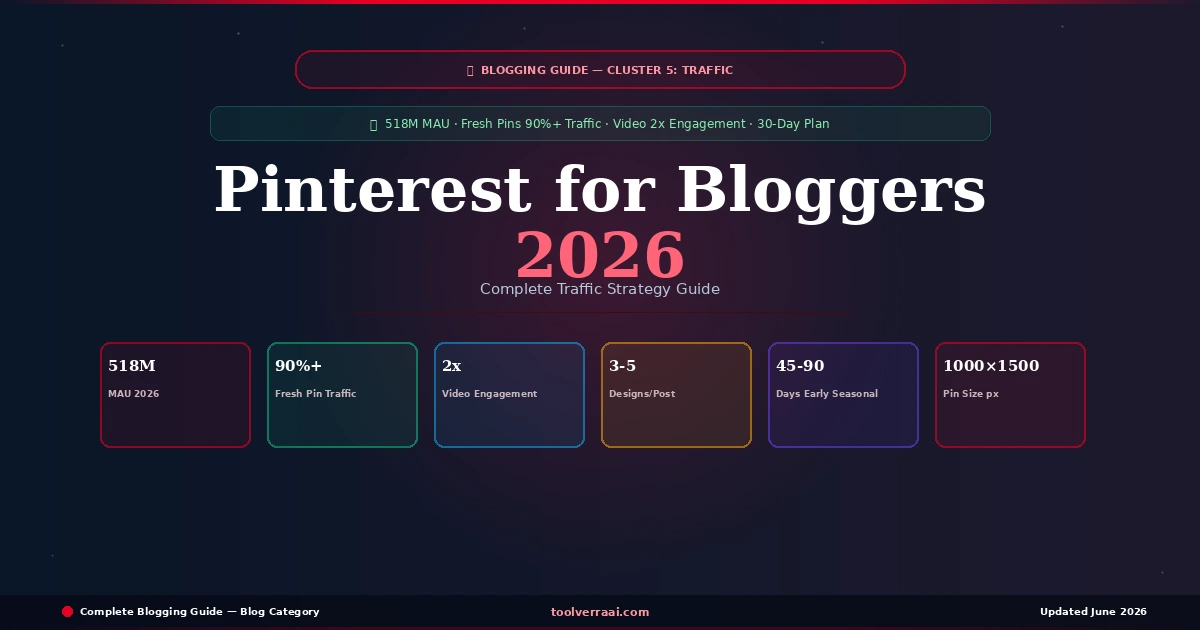
Pinterest for bloggers in 2026 is not social media — it is a visual search engine with 518 million monthly active users where content compounds over months and years instead of disappearing in 24 hours. A pin you publish today can drive traffic to your blog 18 months from now. This complete Pinterest for bloggers 2026 guide covers every step from account setup to the scheduling system that drives consistent traffic — with real data from Tailwind’s 2026 Benchmark Study analyzing over 1.2 million pins.
The most important shift in understanding Pinterest for bloggers 2026: the platform rewards keyword optimization and fresh visual content, not follower counts or daily engagement. A blogger with 200 followers and well-optimized fresh pins consistently outperforms one with 20,000 followers recycling old content. This guide gives you the complete system.
📌 Pinterest for Bloggers 2026 — Why It Works Better Than Social Media
Most social media platforms show your content to a fraction of your followers for a few hours. Pinterest for bloggers in 2026 works fundamentally differently — it indexes your pins in its search engine and surfaces them to users searching for relevant topics, regardless of whether they follow you. The traffic compounds over time rather than spiking and dying.
A Pinterest Business account is free and provides access to analytics, Rich Pins, Pinterest Ads, and the ability to claim your website. Every blogger needs a Business account — not a personal one. If you already have a personal account, you can convert it to a Business account in Settings without losing your existing pins.
Pinterest for Bloggers 2026 — Business Account Setup Checklist
- → Profile name: Include your primary niche keyword — “Emily Williams | Easy Vegan Recipes” outranks “Emily Williams” in Pinterest search
- → Bio: 160 characters, includes 2-3 keywords describing your blog topic and audience
- → Profile photo: Clear headshot or recognizable blog logo — 165×165 px minimum
- → Claim your website: Settings → Claimed Accounts → claim your blog domain — non-negotiable for trust signals
- → Enable Rich Pins: Automatically pulls blog post metadata into pins (covered in Step 7)
Pinterest boards are indexed by Pinterest search — their names and descriptions are direct ranking signals. A board named “Blog Tips” reaches far fewer people than “Blog Traffic Tips for Beginners 2026.” Treat every board name and description as a keyword opportunity.
Pinterest Board Rules for Bloggers 2026
| Board Element | What to Do | Example |
|---|---|---|
| Board Name | Include primary keyword, be specific | “Easy Weeknight Dinners Under 30 Minutes” |
| Board Description | 2-3 sentences, 3-5 keywords naturally | Describe exactly what pins belong in this board |
| Board Cover | Use one of your best pin designs | Consistent branded look across all boards |
| Number of Boards | Start with 10-15 focused boards | Better than 50 vague ones |
| Group Boards | Mostly deprioritized since 2025 ❌ | Focus on your own boards only |
Pin design is one of the most important skills for Pinterest for bloggers in 2026. The top 1% of pins drive over 50% of all Pinterest traffic — meaning pin visual quality and clarity have an outsized impact on results. Design 3-5 completely different pin variations for every blog post. Use Canva free for all pin design needs.
✅ High-Performing Pin Elements
- Size: 1000×1500 px (2:3 ratio)
- Clear, bold headline text overlay
- High contrast — readable at small size
- Blog URL visible at bottom
- Brand colors consistent across all pins
- Specific promise: “7 Free Tools That Save 5 Hours”
- 3-5 different designs per blog post
❌ Low-Performing Pin Elements
- Square or horizontal format (1:1 or 16:9)
- Too much text — cluttered and unreadable
- Low contrast — text blends into background
- No text overlay — just a photo
- Generic stock photo — nothing unique
- Vague title: “Blog Tips”
- Same design recycled for multiple posts
Pinterest SEO in 2026 is primarily keyword-driven. The algorithm reads your pin title, description, and board names to determine what searches your pin should appear in. Hashtags now contribute only 1% of ranking power and should be deprioritized in favor of natural keyword phrases in your descriptions.
Pinterest SEO for Bloggers 2026 — Title and Description Rules
| Element | Best Practice | Example |
|---|---|---|
| Pin Title | Primary keyword first, under 100 chars | “How to Start a Blog in 2026 — Beginner’s Step-by-Step Guide” |
| Pin Description | 2-3 sentences, keywords naturally included | “Learn how to start a blog from scratch in 2026. Covers hosting, WordPress setup, and first article. Perfect for absolute beginners.” |
| Hashtags | Only 1% ranking power — use 2-3 max | #blogging #wordpress — never 20+ hashtags |
| Alt Text | Describe the pin + keyword | “Step-by-step guide to starting a blog in 2026 for beginners” |
The #1 finding from Tailwind’s 2026 Benchmark Study of 1.2 million pins: fresh pins drive 90%+ of website traffic compared to saves or repins. Pinterest’s algorithm heavily favors new visual content. Simply repinning existing content or saving the same pin multiple times provides minimal traffic benefit in 2026.
What Counts as a “Fresh Pin” for Pinterest Bloggers 2026
A fresh pin requires a genuinely new image design — not just changing a few words on the same background. Pinterest’s visual recognition detects near-duplicate images. To create a fresh pin from an existing blog post: change the color scheme entirely, use a different image or background, redesign the text layout, or change the image orientation. Each of these counts as a fresh pin even when linking to the same blog post URL.
Tailwind is the go-to scheduling tool for Pinterest for bloggers in 2026. It automates pin publishing at optimal times, provides analytics on your best-performing pins, and includes a visual content planner. The free plan is sufficient to start. Paid plans from $12.99/month add SmartSchedule (automatically posts at your audience’s peak hours) and Tailwind Create (AI-powered pin design).
Pinterest Scheduling Rules for Bloggers 2026
| Scheduling Factor | Recommendation |
|---|---|
| Daily pin volume | 5-15 fresh pins per day |
| Spacing between pins | 45-90 minutes apart minimum |
| Peak hours (US audience) | 8-11 PM EST evenings |
| Weekend timing | Mid-morning (9 AM-12 PM) performs well |
| Seasonal content | Publish 45-90 days BEFORE the season peaks |
| Consistency | Daily beats sporadic burst posting |
Rich Pins automatically pull metadata (title, description, author) from your blog post into your pin. This means even when someone else saves your content, the SEO data remains intact and accurately reflects your article. Article Rich Pins are the type every blogger needs — they display your headline and article description directly in the pin.
How to Enable Rich Pins for Your Blog 2026
Step 1: Ensure your WordPress blog has Open Graph metadata enabled. Rank Math SEO or Yoast SEO both add this automatically — no extra plugin needed.
Step 2: Go to Pinterest’s Rich Pin Validator: developers.pinterest.com/tools/url-debugger — enter any blog post URL and click “Validate.”
Step 3: Once validated, Rich Pins activate automatically for your entire domain within 24 hours. All existing and future pins from your blog will show the rich metadata.
Video pins in 2026 receive 2x the engagement of static image pins — one of the most actionable data points in this guide. You do not need professional video production. A simple 6-15 second animated graphic made in Canva or a short screen recording delivers the same engagement boost. The 9:16 vertical format (same as Instagram Stories) performs best in the Pinterest feed.
Easy Video Pin Ideas for Bloggers 2026
| Video Pin Type | How to Create | Duration |
|---|---|---|
| Animated text pin | Canva animation features — free | 6-10 seconds |
| Numbered list reveal | Text appearing line by line — Canva | 8-12 seconds |
| Before/after comparison | Two slides fading — Canva | 6-8 seconds |
| Screen recording tip | Loom or QuickTime screen capture | 10-15 seconds |
📅 Pinterest for Bloggers 2026 — 30-Day Action Plan
📌 Pinterest for Bloggers 2026 — Your First 30 Days
- Create or convert to Pinterest Business account
- Verify your blog domain (non-negotiable)
- Create 10-15 keyword-optimized boards with descriptions
- Enable Rich Pins via the validator tool
- Design 3 pin templates in Canva for your brand colors
- Set up Tailwind free account and connect to Pinterest
- Design 3-5 pin variations for your top 5 existing blog posts (15-25 pins total)
- Write keyword-rich descriptions for every pin
- Schedule pins in Tailwind — 5-10 per day, spaced 45-90 min
- Save 10-20 quality pins from other creators to your boards daily
- Create first video pin (animated text in Canva)
- Check Tailwind analytics — which pins got the most saves?
- Create 3 more pin designs similar to your top performer
- Add Pinterest Save button to your blog posts (use Pinterest plugin)
- Design pins for 5 more blog articles
- Create seasonal content pins (45-90 days ahead of upcoming holidays)
- Review first month analytics in Pinterest Business hub
- Identify which boards and pin styles drive the most outbound clicks
- Double down on what works — create more of those pin types
- Set up a monthly pin creation routine: 1 hour designing, 30 min scheduling
- Plan next month’s content calendar with seasonal timing in mind
🎯 Key Takeaways — Pinterest for Bloggers 2026
- Pinterest for bloggers 2026: visual search engine (not social media) — pins drive traffic for months/years
- 518M MAU — fresh pins drive 90%+ of traffic (Tailwind 2026 benchmark, 1.2M pins)
- Top 1% of pins drive 50%+ of all Pinterest traffic — design 3-5 different designs per post
- Domain verification is non-negotiable — do before publishing any pin
- Pinterest SEO: keywords in title + description + board names. Hashtags = 1% ranking power only
- Fresh pin = completely new image design (not just text changes) — Pinterest detects near-duplicates
- Schedule 5-15 pins/day via Tailwind, spaced 45-90 min. Peak US hours: 8-11 PM EST
- Rich Pins pull blog metadata automatically — enable via Pinterest validator
- Video pins (6-15 sec, 9:16 ratio): 2x engagement vs static — easiest win in this guide
- Seasonal content: publish 45-90 days BEFORE the peak — Pinterest users plan ahead
Pinterest Strategy Ready ✅ — Now Build Your Email List
Pins scheduled · Traffic compounding · Next: own your audience with email
Full Traffic Guide → Best AI Tools for Bloggers →Pinterest for Bloggers 2026 — FAQ
Previous: How to Drive Traffic to Your Blog · Related: Write a Blog Post That Ranks · Best AI Tools for Bloggers