
- Why YouTube SEO Tools Matter in 2026
- Top 10 YouTube SEO Tools — Quick Comparison
- vidIQ — Best for Topic Discovery
- TubeBuddy — Best for Bulk Optimization
- Best Free YouTube SEO Tools
- Ahrefs & Semrush — Best for Agencies
- Pricing Comparison — All Plans 2026
- Complete YouTube SEO Workflow
- Which YouTube SEO Tool for Beginners?
- vidIQ vs TubeBuddy — Side by Side
- FAQ
- Final Verdict
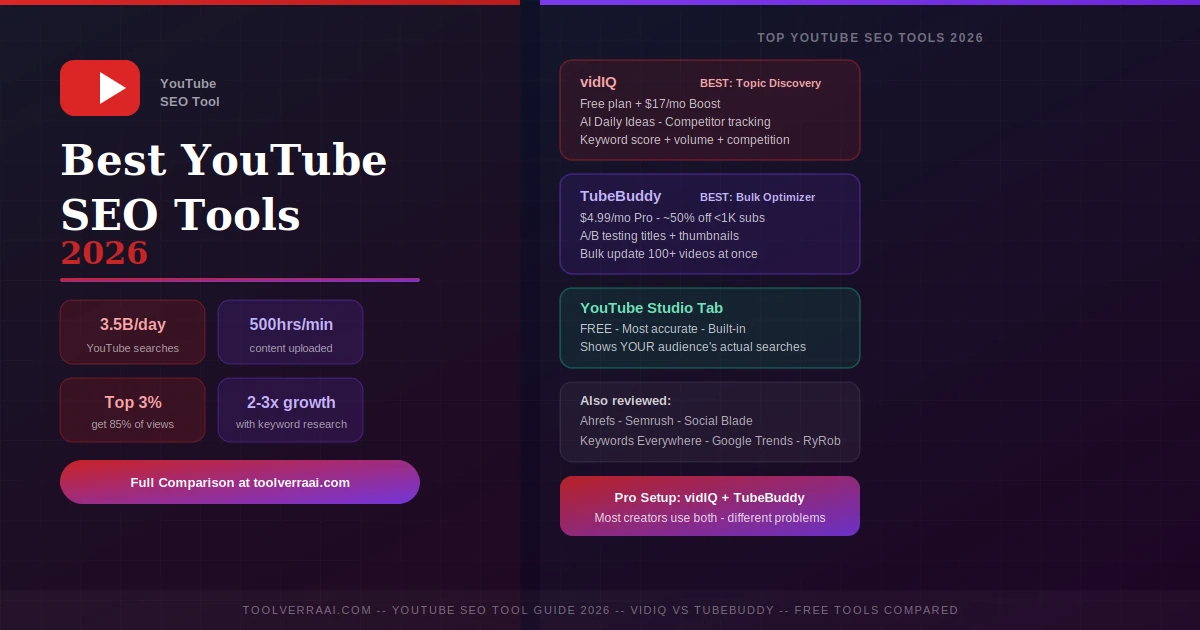
YouTube processes over 3.5 billion searches every day — the world’s second-largest search engine after Google. With over 500 hours of video uploaded every minute, the creators who grow consistently are not the ones making the best videos alone. They’re the ones using the right YouTube SEO tool to find what people are searching for, then optimizing content to rank for it. In 2026, this matters even more: Google AI Overviews now surface YouTube videos in search results, meaning a well-optimized YouTube video earns visibility on both YouTube and Google simultaneously.
📈 Why YouTube SEO Tools Matter in 2026
The top 3% of YouTube channels receive 85% of all views. That gap is largely explained by which creators understand what their audience searches for and optimize content around those searches. Channels using structured keyword research see 2–3x higher organic view growth consistently. A well-optimized video generates evergreen search traffic for years after publishing.
⚡ Top 10 YouTube SEO Tools — Quick Comparison 2026
| Tool | Best For | Free Plan | Entry Paid | Standout Feature |
|---|---|---|---|---|
| vidIQ | Topic discovery, AI ideas | ✅ 3 sessions/mo | $17/mo | AI Daily Ideas, competitor tracking |
| TubeBuddy | Bulk optimization, A/B tests | ✅ Limited | $4.99/mo | A/B testing, bulk process 100+ videos |
| YouTube Studio | Free keyword research | ✅ Fully free | — | Most accurate — YOUR audience’s searches |
| Keywords Everywhere | Real-time volume on YT | Credits required | $10/100K credits | Shows volume as you type on YouTube |
| Ahrefs | Agencies, accurate volume | ✅ Limited | $99/mo | Clickstream data — most accurate volume |
| Semrush | Multi-platform agencies | ✅ Limited | $139/mo | Full SEO suite + YouTube module |
| Social Blade | Channel tracking | ✅ Free tier | $3.99/mo | Real-time channel growth stats |
| Google Trends | Trending topics | ✅ Fully free | — | Rising topics + seasonal patterns |
| TubeRanker | Channel audits | ✅ Limited | $9/mo | Actionable channel audit reports |
| RyRob Free Tool | Free keyword research | ✅ Fully free | — | No login, difficulty ratings, unlimited |
🔴 vidIQ — Best YouTube SEO Tool for Topic Discovery
vidIQ is the most widely used YouTube SEO tool for creators focused on finding what to create. Its browser extension integrates directly with YouTube and surfaces keyword scores, search volume, competition data, and competitor video metrics alongside your normal YouTube browsing — no separate dashboard needed.
- Keyword score + search volume + competition per query
- AI Daily Ideas — topic suggestions based on your channel
- Competitor channel tracking + gap analysis
- Trend alerts for rising topics in your niche
- Real-time analytics dashboard
- AI title & description writing (Max plan)
- Browser extension embeds in YouTube.com
vidIQ free plan: 3 keyword research sessions + 3 video ideas + 3 thumbnail generations per month. For a creator validating a niche, this covers pre-creation research without spending anything. Tip: combine vidIQ free with YouTube Studio Research Tab (completely free, unlimited) for 80% of paid vidIQ value at zero cost.
🟣 TubeBuddy — Best YouTube SEO Tool for Bulk Optimization
TubeBuddy approaches the YouTube SEO tool category from a post-publish angle. Its Keyword Explorer sits inside YouTube Studio — the interface you’re already using at upload — and grades every keyword with an SEO score showing your realistic ranking chances. The A/B testing feature (Legend plan) lets you test two titles or thumbnails against each other and automatically shifts traffic to the winner. No guessing. Pure data.
- Keyword Explorer embedded inside YouTube Studio
- SEO Scorecard on every video upload
- A/B testing: titles, thumbnails, descriptions (Legend)
- Bulk processing — update 100+ videos simultaneously
- Click Magnet — CTR improvement suggestions
- Tag suggestions as you upload
- Channel performance insights
🟢 Best Free YouTube SEO Tools 2026
1. YouTube Studio Research Tab — Most Accurate Free Tool
The most underrated free YouTube SEO tool. Unlike third-party tools that estimate volume from autocomplete, YouTube Studio shows the actual searches your specific audience types — sourced directly from YouTube’s own data. Access: YouTube Studio → Analytics → Research tab. Free, unlimited, no installation required.
2. Keywords Everywhere — Real-Time Volume While You Browse
A browser extension showing search volume directly on YouTube as you type. Keywords Everywhere uses a pay-per-credit model ($10 buys 100,000 credits). Uses a pay-per-credit model ($10 buys 100,000 credits). For occasional research rather than daily use, this is significantly cheaper than monthly subscriptions.
3. Google Trends — Rising Topics Before Competition Peaks
Completely free. Use the YouTube search filter specifically to track YouTube search trends. A topic trending upward now is worth covering before large channels dominate it. Seasonal patterns visible years in advance.
4. RyRob Free Tool — No Login, Unlimited Searches
No account required. Provides keyword difficulty ratings with unlimited searches. The simplest starting point for any creator doing their first YouTube keyword research in 2026.
🔧 Ahrefs & Semrush — Best for Agencies
For agencies managing multiple client channels, Ahrefs ($99+/mo) provides clickstream-based volume data — the most accurate measurement available versus autocomplete estimates used by most YouTube-specific tools. Semrush ($139+/mo) adds multi-platform management. Neither is justified for individual creators — vidIQ + TubeBuddy deliver 85% of the value at 10% of the cost.
💰 YouTube SEO Tool Pricing — All Plans 2026
🔴 vidIQ Pricing 2026
| Free plan | $0 (3 sessions/mo) |
| Boost (annual) | $17/mo per channel |
| Boost (monthly) | $19/mo |
| Max (annual) | $39/mo |
| Coaching | $99/mo annual |
🟣 TubeBuddy Pricing 2026
| Free plan | $0 (basic features) |
| Pro (monthly) | $4.99/mo |
| Pro (annual) | ~$3.60/mo |
| Legend (annual) | ~$23-27/mo |
| Small channel discount | ~50% off (<1K subs) |
🔄 Complete YouTube SEO Workflow — Which Tool at Each Step
- Topic Research (before scripting) — Use vidIQ Keyword Explorer or YouTube Studio Research Tab to find what your audience searches. Target 300–5,000 monthly searches, difficulty under 40 for growing channels. Cross-check with Google Trends for topic stability.
- Keyword Validation (confirm competition) — Use TubeBuddy Keyword Explorer inside YouTube Studio. It grades each keyword with an SEO score showing your realistic ranking chance based on your channel’s current authority.
- Title Optimization (before writing) — Put primary keyword in the first 5 words, keep under 60 characters, write for clicks not just SEO. Use vidIQ’s AI writing (Max plan) or write your own. Test post-upload with TubeBuddy A/B testing.
- Description & Tags (at upload) — Use TubeBuddy SEO Scorecard during upload to confirm keyword placement. Include primary keyword in the first sentence of your description. Add 5–8 relevant tags using TubeBuddy suggestions.
- Thumbnail Optimization (post-upload) — Run TubeBuddy A/B test (Legend plan) on two thumbnail options. CTR is the single most powerful ranking signal after watch time. A 1–2% CTR improvement compounds significantly across hundreds of videos.
- Post-Publish Tracking (ongoing) — Use YouTube Studio Analytics to track which searches drive real views. Use vidIQ competitor tracking to monitor niche content gaps. Use TubeBuddy bulk processing to update old titles and descriptions at scale.
🎯 Which YouTube SEO Tool for Beginners?
Start Free (Zero Budget)
- YouTube Studio Research Tab — free, most accurate
- Google Trends — free, trending topics
- RyRob Free Keyword Tool — free, no login
- vidIQ free plan — 3 keyword searches/month
- This stack covers 80% of what paid tools offer
First Paid Tool (under $5/mo)
- TubeBuddy Pro — $4.99/mo (~$2.25 with small channel discount)
- Get unlimited keyword research + SEO scorecard + tag suggestions
- Upgrade to Legend (~$27/mo) when you have 50+ videos for A/B testing
- Add vidIQ Boost ($17/mo) when topic discovery becomes your main bottleneck
🆚 vidIQ vs TubeBuddy — 2026 Side by Side
| Feature | vidIQ 🔴 | TubeBuddy 🟣 | Winner |
|---|---|---|---|
| Topic/keyword discovery | Stronger — AI Daily Ideas | Good, secondary focus | vidIQ 🔴 |
| Competitor tracking | Deep analysis | Limited | vidIQ 🔴 |
| Bulk video optimization | Limited | Update 100+ videos at once | TubeBuddy 🟣 |
| A/B testing | ❌ | Titles, thumbnails, descriptions | TubeBuddy 🟣 |
| Entry paid price | $17/mo | $4.99/mo | TubeBuddy 🟣 |
| AI features (low tiers) | Better access | Higher tiers only | vidIQ 🔴 |
| Free plan value | More generous | Basic only | vidIQ 🔴 |
| Works inside YouTube Studio | YouTube.com only | Embeds in Studio | TubeBuddy 🟣 |
| YouTube certified | Yes | Yes | Tie |
| Best for | What to CREATE | How to OPTIMIZE what exists | Different use cases |
🎯 Best YouTube SEO Tool 2026 — Key Takeaways
- YouTube = 3.5B searches/day — the world’s second-largest search engine. The right YouTube SEO tool is no longer optional for serious creators
- Best overall YouTube SEO tool: vidIQ (discovery) + TubeBuddy (optimization) used together
- Best free YouTube SEO tool: YouTube Studio Research Tab — most accurate, shows YOUR audience’s actual searches, completely free
- Budget pick: TubeBuddy Pro at $4.99/mo (or ~$2.25/mo with small channel discount)
- vidIQ wins on: topic discovery, AI video ideas, competitor tracking, free tier generosity
- TubeBuddy wins on: A/B testing, bulk optimization, lowest paid entry price, inside-Studio workflow
- Target 300–5,000 monthly searches + difficulty under 40 — the winnable sweet spot for new channels
- 2026 new factor: YouTube videos now appear in Google AI Overviews — YouTube SEO now earns Google visibility too
- Ahrefs/Semrush ($99-139/mo) only worth it for agencies managing multiple client channels
- Free stack: YouTube Studio + Google Trends + RyRob tool covers 80% of paid tool value