
- The Architecture Difference — Why This Isn’t a Fair Comparison
- Quick Overview — Cloudways vs Hostinger at a Glance
- Round 1: Pricing — Real Costs After the First Bill
- Round 2: Speed & Performance — Shared vs Cloud Reality
- Round 3: Features — What’s Included vs What You Pay Extra
- Round 4: Tech Stack Comparison
- Round 5: Customer Support
- Round 6: Security
- Round 7: WordPress & WooCommerce
- The 50,000-Visitor Upgrade Framework — When to Leave Hostinger
- How to Migrate from Hostinger to Cloudways (Step-by-Step)
- Final Verdict — Who Should Choose Which
- FAQ
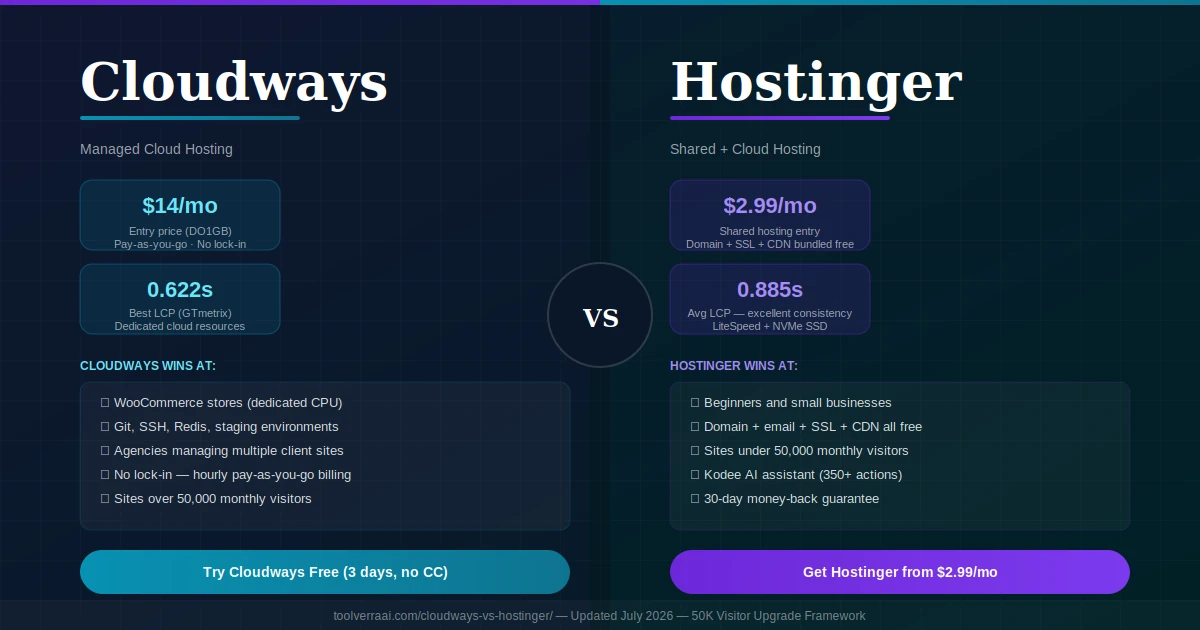
Most Cloudways vs Hostinger 2026 comparisons make a fundamental mistake before they even start: they compare apples to oranges. Hostinger’s $2.99/month shared hosting plan puts your site on a server alongside hundreds of other websites, all sharing the same CPU, RAM, and network resources. Cloudways gives you your own dedicated cloud server from providers like DigitalOcean, AWS, or Google Cloud — with full dedicated resources that no other customer touches. Comparing these as if they’re equivalent hosting options is like comparing a bus ticket to a private car hire. Both get you somewhere. But they’re not the same product, not the same experience, and not the same use case.
Understanding this distinction makes the rest of the Cloudways vs Hostinger decision straightforward. Here is how to think about it correctly.
🏗️ Cloudways vs Hostinger: The Architecture Difference Nobody Explains Clearly
Hostinger operates shared hosting. When you pay $2.99/month for their Premium plan, your WordPress site sits on a massive server alongside hundreds — sometimes thousands — of other customer websites. You all share the same RAM, CPU cores, and network interface. Hostinger manages the server completely: it pre-installs WordPress, activates LiteSpeed caching and SSL, and provides hPanel. You never see the infrastructure. This model is right for the overwhelming majority of new and small sites.
Cloudways operates managed cloud hosting. You get your own cloud server rented from one of five major infrastructure providers (DigitalOcean, Vultr, Linode, AWS, or Google Cloud), with Cloudways’ management layer on top handling updates, caching, staging environments, and security. Your resources are dedicated — no other customer touches your CPU or RAM. You can scale a server up in a few clicks without learning Linux administration. This is the right model for sites that have outgrown shared hosting.
🟣 Shared Hosting
- Hundreds of sites share one server’s resources
- Managed by Hostinger — zero infrastructure work required
- LiteSpeed servers + NVMe SSD (fast for shared)
- Free domain, email, SSL, CDN, backups all bundled
- hPanel — beginner-friendly, everything in one place
- Under normal load: extremely fast performance
- Hard ceiling: performance throttles as traffic scales
🔵 Managed Cloud Hosting
- Your own cloud server — dedicated resources, no sharing
- You choose the provider: DO, Vultr, AWS, GCloud, Linode
- Nginx + Apache + Redis + Memcached stack (fully customizable)
- No domain, no email, no WHOIS privacy included
- Git integration, SSH access, staging environments included
- Under heavy load: scales vertically, no throttling
- Pay-as-you-go: no lock-in contracts, hourly billing
📊 Cloudways vs Hostinger 2026 — Quick Overview at a Glance
Founded 2004 · 3M+ customers
DO + AWS + GCloud + Vultr + Linode
| Category | Hostinger 🟣 | Cloudways 🔵 | Winner |
|---|---|---|---|
| Entry price | $2.99/mo (shared) | $14/mo (cloud) | Hostinger 🟣 |
| Pricing model | Fixed plans (lock-in) | Pay-as-you-go (hourly) | Depends on preference |
| Resource type | Shared (hundreds of sites) | Dedicated (yours only) | Cloudways 🔵 |
| Free domain | ✅ (Premium+) | ❌ Buy separately | Hostinger 🟣 |
| Free email | ✅ Included | ❌ Paid add-on | Hostinger 🟣 |
| Free SSL | ✅ Lifetime | ✅ Included | Tie |
| CDN | ✅ Included | ❌ Paid add-on (Cloudflare Enterprise on Autonomous) | Hostinger 🟣 |
| LCP (avg tested) | 0.885s (excellent) | 0.622s (best case) | Cloudways 🔵 (under load) |
| Scalability | Limited (shared ceiling) | Unlimited (cloud scale up) | Cloudways 🔵 |
| Git deployment | ❌ | ✅ | Cloudways 🔵 |
| SSH access | ❌ (shared) | ✅ | Cloudways 🔵 |
| Staging environments | Limited | ✅ Built-in | Cloudways 🔵 |
| Application support | WordPress, PHP, Node.js, more | PHP apps only (WP, WooComm, Magento…) | Hostinger 🟣 |
| AI assistant | Kodee (350+ actions) | ❌ | Hostinger 🟣 |
| Money-back guarantee | 30 days | ❌ None | Hostinger 🟣 |
| Free trial | ❌ | ✅ 3 days (no credit card) | Cloudways 🔵 |
| Lock-in contract | Up to 48 months | None (hourly billing) | Cloudways 🔵 |
💰 Round 1: Cloudways vs Hostinger Pricing — The Real Cost After the First Bill
The $2.99/month Hostinger headline vs $14/month Cloudways entry is a misleading comparison on two levels. First, $2.99 requires a 48-month upfront commitment — that’s $143.52 paid in one shot. Renewal kicks in at $9.99/month after 4 years. Cloudways charges hourly with zero contracts, so spinning up a server for a weekend project costs pennies. Second, Cloudways’ $14/month doesn’t include email, a domain, or a CDN — features bundled free in Hostinger’s Premium plan. Add those up properly before comparing.
🟣 Hostinger — Real Pricing
| Shared Premium (intro 48-mo) | $2.99/mo |
| Shared Premium (renewal) | ~$9.99/mo |
| Shared Business (intro) | $3.99/mo |
| Cloud Startup | $7.99/mo · 3 GB RAM |
| Cloud Professional | $15.99/mo · 6 GB RAM |
| Cloud Enterprise | $29.99/mo · 12 GB RAM |
| Free domain | ✅ Year 1 (Premium+) |
| Free email | ✅ Included |
| Free CDN | ✅ Included |
| Free SSL | ✅ Lifetime |
| Money-back | 30 days |
🔵 Cloudways — Real Pricing
| DO1GB (DigitalOcean entry) | $14/mo · 1 GB RAM |
| DO2GB | $28/mo · 2 GB RAM |
| DO4GB | $54/mo · 4 GB RAM |
| AWS/GCloud | Higher tiers (more scale) |
| Domain | ❌ Buy separately |
| Email hosting | ❌ Paid add-on |
| CDN (Cloudflare) | ❌ Paid (free on Autonomous) |
| Pricing model | Pay-as-you-go (hourly) |
| Lock-in | ❌ None |
| Free trial | ✅ 3 days (no CC) |
| Discount | 30% off first 3 months (Flexible) |
📖 Also read: Comparing domain registrars alongside hosting? See our detailed Hostinger vs Namecheap 2026 guide — including the best combo setup (Namecheap domain + Hostinger hosting).
⚡ Round 2: Speed & Performance — Shared vs Cloud Reality
This is where the shared vs managed cloud distinction becomes critical. Under light-to-normal traffic (a standard blog, small business site, or portfolio under 50,000 monthly visitors), Hostinger’s LiteSpeed stack delivers excellent results — the average LCP across two independent 2026 tests was 0.885 seconds, which comfortably passes Google’s Core Web Vitals threshold of under 2.5 seconds. For a single visitor experience, Hostinger is comparable to Cloudways.
Under heavy concurrent traffic or for dynamic, database-intensive sites like WooCommerce, the gap opens sharply. Cloudways delivers dedicated resources that don’t get throttled by neighboring accounts on the same server. The P95 response time in stress testing was 248ms with zero HTTP failures. For a WooCommerce store where a 1-second slowdown reduces conversion rates by 7%, that difference compounds into real revenue.
| Performance Metric | Hostinger 🟣 | Cloudways 🔵 | Winner |
|---|---|---|---|
| LCP — GTMetrix test | 0.794s | 0.622s | Cloudways 🔵 |
| LCP — WebPageTest | 0.975s | Variable | Cloudways edge |
| Average LCP | 0.885s ✅ consistent | 0.622-0.975s (varies) | Hostinger 🟣 (consistency) |
| Uptime tested | 100% | 100% (99.76% reachability) | Tie |
| Avg latency | Lower (optimized for shared) | 782ms avg (Mumbai/NY affected) | Hostinger 🟣 (avg) |
| Stress test requests | Stable (more consistent) | 6,100 req · 0 failures · 41 RPS | Cloudways 🔵 (high volume) |
| Server tech | LiteSpeed + NVMe | Nginx + Redis + custom stack | Cloudways 🔵 (tunable) |
| Under high concurrent load | Can throttle (shared) | Dedicated resources — no throttle | Cloudways 🔵 |
| WooCommerce (dynamic) | Adequate for low-traffic | Superior (dedicated CPU) | Cloudways 🔵 |
🧩 Round 3: Cloudways vs Hostinger Features — What’s Included vs What Costs Extra
This is where Hostinger’s value advantage is most visible. Cloudways strips out what it considers “extras” that most users need — email, domain, CDN, WHOIS privacy — and sells them separately. Hostinger bundles them all. For a beginner or SMB owner who wants to launch a website and manage everything in one place, Hostinger’s bundled approach saves real money and time. For a developer who already has email on Google Workspace and a domain at Namecheap, Cloudways’ stripped-down approach is actually ideal — you’re not paying for things you don’t need.
| Feature | Hostinger 🟣 | Cloudways 🔵 |
|---|---|---|
| Free domain (year 1) | ✅ Premium+ plans | ❌ Buy separately |
| Free email hosting | ✅ Included | ❌ Paid via Rackspace/Google |
| Free SSL (lifetime) | ✅ Auto-renew | ✅ Included |
| CDN | ✅ Proprietary CDN included | ⚠️ Cloudflare Enterprise (Autonomous only) |
| Automated backups | ✅ Weekly (basic) · Daily (higher) | ✅ Daily automated backups |
| Staging environment | ⚠️ Limited | ✅ Full staging included |
| Git deployment | ❌ | ✅ Native Git integration |
| SSH/SFTP access | ❌ (shared plans) | ✅ |
| Redis/Memcached | ❌ | ✅ Configurable |
| Multiple PHP versions | Limited | ✅ Fully configurable |
| Team collaboration | ❌ | ✅ Multi-user access |
| White-label hosting | ❌ | ✅ Agency white-label available |
| Website builder | ✅ Zyro/Hostinger builder | ❌ |
| AI assistant (Kodee) | ✅ 350+ executable actions | ❌ |
| Node.js support | ✅ hPanel process management | ❌ PHP apps only |
| Free migration | ✅ Expert migration offered | ✅ Free WordPress Migrator plugin |
⚙️ Round 4: Cloudways vs Hostinger Tech Stack Comparison
The tech stack difference defines who each platform is built for. Hostinger’s LiteSpeed + NVMe setup is optimized for speed out of the box — beginners get fast WordPress without touching a single config file. Cloudways offers a more complex, tunable stack (Nginx + Apache + Redis + Memcached + Elasticsearch + Varnish) that can be deeply configured by developers who need it. The tradeoff: Cloudways’ stack requires knowing what to tune, while Hostinger’s stack works without touching anything.
🟣 Hostinger Tech Stack
🔵 Cloudways Tech Stack
🎧 Round 5: Cloudways vs Hostinger Customer Support
Cloudways support is technically superior but has access restrictions. Response times average 30-60 seconds — faster than Hostinger’s live chat. Agents handle server-level issues: PHP configuration, cache tuning, performance troubleshooting, and infrastructure problems. The limitation: trial users can’t file tickets without upgrading, and deeper troubleshooting may require a paid support plan add-on.
Hostinger support averages 3-5 minutes for live chat, but the addition of Kodee — the AI assistant capable of executing 350+ hosting tasks directly — changes the calculus. Kodee resolves approximately 50% of common issues (cache clearing, SSL installation, site migrations, malware scans) instantly without any wait time. For a beginner who primarily needs help with standard operations, Kodee + Hostinger live chat covers the vast majority of real support needs.
🔒 Round 6: Cloudways vs Hostinger Security
Hostinger includes BitNinja Security Suite on all plans: DDoS protection, brute force defense, Cloudflare protected nameservers, IP reputation management, and automatic weekly malware scanning with auto-removal. Everything is configured and active without any user action. For non-technical users, this comprehensive out-of-the-box security is genuinely valuable.
Cloudways provides server firewalls, IP whitelisting, SSL, and two-factor authentication. But many security features that Hostinger includes by default — malware protection, advanced WAF — are paid add-ons on Cloudways. The trade-off is that Cloudways gives you full control over security configuration (SSH key management, custom firewall rules, server-level access logs), which professional developers and agencies require and Hostinger’s shared environment cannot provide.
🔌 Round 7: WordPress & WooCommerce
For standard WordPress blogs, informational sites, and business websites under 50,000 monthly visitors: Hostinger’s 1-click WordPress installer, LiteSpeed caching, automatic updates, and hPanel management deliver everything you need at a fraction of the cost.
For WooCommerce stores and membership sites, the dynamic content problem changes the equation entirely. WooCommerce pages with cart state, user sessions, and live inventory cannot be heavily cached — every request hits the database directly. In a shared hosting environment where you compete for CPU cycles with hundreds of other sites, this creates performance degradation under load. Cloudways is widely regarded as the best WooCommerce hosting precisely because dedicated cloud resources eliminate the shared CPU bottleneck. The dedicated database, Redis object caching, and ability to scale the server vertically directly address WooCommerce’s performance demands.
📈 Cloudways vs Hostinger — The 50,000-Visitor Upgrade Framework
This is the most useful framework for the Cloudways vs Hostinger decision — and the one almost no comparison article makes central. In the Cloudways vs Hostinger decision, don’t ask “which is better” — ask “which stage am I at?” Hostinger is the right starting platform for almost every new website. The question is when to upgrade.
🚨 Upgrade from Hostinger to Cloudways When You See These Signals:
- Monthly traffic crosses the shared hosting ceilingThreshold: 50,000+ monthly visitors · Signal: pages slow down during peak hours
- Page loads exceed 3 seconds consistentlyThreshold: LCP > 2.5s on Core Web Vitals · Signal: Google Search Console flagging poor page experience
- 503 Service Unavailable errors appearingClassic signal of insufficient server resources — you’ve hit the shared hosting ceiling
- Running a WooCommerce store with growing ordersDynamic pages can’t be cached heavily · Every 1s slower = -7% conversions · Dedicated CPU is non-negotiable
- Need developer tools: Git, SSH, Redis, staging environmentsCloudways includes all of these · Hostinger shared hosting does not
- Managing multiple client sites as an agencyCloudways’ team collaboration, white-label options, and multi-site management justify the cost
- SEO rankings affected by Core Web Vitals failuresDedicated resources improve FID, LCP, and CLS consistency across traffic spikes
🔧 Cloudways vs Hostinger Migration Guide — Step by Step
The Cloudways vs Hostinger migration is easier than most people expect. Cloudways provides a free WordPress migration plugin that handles the entire process with zero downtime in most cases.
- Sign up for Cloudways and launch your server. Start the 3-day free trial (no credit card required). Choose your cloud provider (DigitalOcean DO2GB at $28/month is the recommended starting point for most sites migrating from shared hosting). Launch your server and create a WordPress application on it.
- Install the Cloudways WordPress Migrator plugin. On your existing Hostinger site, install the free “Cloudways WordPress Migrator” plugin from the WordPress plugin repository. This automates the entire migration process — files, database, media — without manual FTP transfers or database exports.
- Run the migration. In the plugin settings, enter your Cloudways server’s temporary URL, SFTP credentials, and database details (all available in your Cloudways dashboard). Click Migrate. The plugin transfers everything automatically. For most sites under 2 GB, this takes under 15 minutes.
- Test on the staging URL. Cloudways gives every application a temporary URL (e.g., yourapp.cloudwaysapps.com). Test your site thoroughly on this URL before pointing your domain. Check all pages, forms, WooCommerce checkout, and login functionality.
- Point your domain to Cloudways. In your domain registrar (Namecheap, GoDaddy, or wherever your domain lives), update the DNS A record to point to your Cloudways server’s IP address. DNS propagates in 24-48 hours. Your site is now live on Cloudways with zero downtime.
🔍 Need SEO tools on your new Cloudways server? Check our Best SEO Tools 2026 guide — all tested and compatible with cloud-hosted WordPress sites.
🏆 Cloudways vs Hostinger Final Verdict 2026 — Who Should Choose Which
🟣 Choose Hostinger If…
- You’re a beginner or first-time website owner
- You want everything bundled: domain, email, SSL, CDN, backups
- Your site is under 50,000 monthly visitors
- You run a blog, portfolio, or small business site
- You want the simplest possible WordPress setup
- Budget is a primary concern ($2.99-7.99/mo)
- You run Node.js or non-PHP applications
- You want an AI assistant (Kodee) to manage hosting tasks
- You need a 30-day money-back guarantee
🔵 Choose Cloudways If…
- Your traffic exceeds 50,000 monthly visitors
- You run a WooCommerce store (dynamic pages, can’t cache)
- You’re an agency managing multiple client sites
- You need Git deployment, SSH access, or Redis
- You want staging environments for safe development
- You have developer skills and want server-level control
- You already have email and domain at another provider
- You hate long-term contracts (hourly billing, no lock-in)
- You’re running a high-traffic membership site or SaaS
- Clarify your architecture need first — Shared hosting (Hostinger) vs managed cloud (Cloudways). These are different products, not just different price tiers.
- Assess your current traffic — Under 50,000 monthly visits: Hostinger is right. Over 50,000: evaluate Cloudways.
- WooCommerce sites need dedicated resources — Shared hosting throttles under dynamic load. Cloudways is the correct choice for any serious WooCommerce store.
- Factor in Cloudways hidden costs — Add email ($3-5/mo), domain ($12/yr), and WHOIS privacy before comparing prices. Realistic Cloudways entry = $18-22/month.
- Developer tools decide it — If you need Git, SSH, Redis, or staging environments, only Cloudways provides these at this price range.
- Migrate when you see the signals — 503 errors, LCP > 2.5s, or monthly traffic consistently over 50,000 = time to upgrade.
- Use the growth path — Hostinger shared → Hostinger Cloud Startup ($7.99/mo) → Cloudways. You don’t need to jump straight to Cloudways at launch.
🎯 Cloudways vs Hostinger 2026 — Key Takeaways Summary
- This is not a fair comparison — Hostinger = shared hosting (hundreds share one server). Cloudways = managed cloud hosting (dedicated resources). Different products, different use cases.
- Hostinger wins for — Beginners, bloggers, SMBs under 50K visits/mo, budget-conscious buyers, anyone wanting domain + email + SSL + CDN bundled free.
- Cloudways wins for — WooCommerce stores, agencies, developers needing Git/SSH/Redis/staging, sites over 50,000 monthly visitors, anyone who hates lock-in contracts.
- Performance reality — Under light/normal load, Hostinger’s LiteSpeed stack (avg LCP 0.885s) is excellent. Under heavy concurrent load, Cloudways’ dedicated resources win decisively.
- The 50,000-visitor threshold — Below this, Hostinger is the better value. Above this, dedicated resources from Cloudways become genuinely necessary.
- Cloudways hidden costs — The $14/month entry doesn’t include email (~$4/mo), domain (~$1/mo), or CDN (Flexible plan). Realistic entry cost = $18-22/month.
- WooCommerce rule — Dynamic e-commerce pages cannot be cached heavily. Every 1 second slower = -7% conversion rate. Cloudways dedicated CPU is necessary for serious WooCommerce stores.
- Migration is easy — Cloudways provides a free WordPress Migrator plugin. Most migrations complete in under 15 minutes with zero downtime.
- Hostinger VPS is not Cloudways — Hostinger VPS is unmanaged, you need Linux knowledge. Cloudways is fully managed. Not the same product.
- The growth path — Start on Hostinger shared → move to Hostinger Cloud ($7.99/mo) → upgrade to Cloudways when the upgrade signals appear. You’ll know when it’s time.
FAQ — Cloudways vs Hostinger 2026
🚀 Not Sure Which Hosting Is Right for You?
Get a free expert audit of your current setup and a clear recommendation based on your traffic, goals, and budget.
🎯 Get Your Free Hosting Audit →📚 Related Hosting Guides on ToolVerraAI