
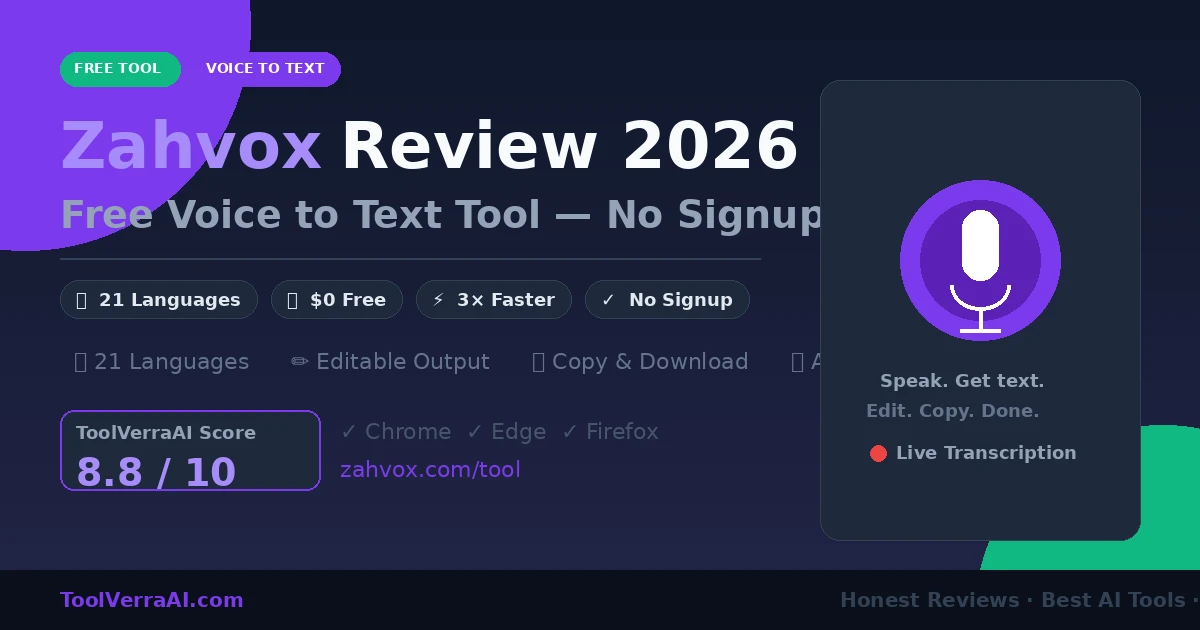
This Zahvox review covers the complete picture: a 100% free browser-based voice to text tool with 21 languages, no signup required, and a live editor — plus what’s coming next on their product roadmap.
⚡ Quick Answer: What Is Zahvox?
Zahvox (zahvox.com/tool) is a free online voice to text tool. Open it in your browser, press the mic, speak, and get an editable transcript instantly — no account, no download, no payment. It supports 21 languages including English, Arabic, Spanish, French, Hindi, and Urdu, and works in Chrome, Edge, and Firefox. It counts your words and characters, lets you copy or download the text as a file, and supports spoken punctuation commands. The tool is completely free in 2026, with paid advanced features planned for the future.
Zahvox Review: What Is Zahvox and Why Does It Exist?
Most people type at around 40 words per minute. Most people speak at around 130 words per minute. That three-to-one gap is the entire reason voice to text tools exist — and it’s the gap Zahvox is built to close.
Zahvox is a voice-to-writing platform created by Hussain Jatoi, a founder based in Pakistan. The current product is described as version 1 of the free web experience — a browser tool you can use right now without creating an account. The broader vision is a platform that turns spoken thoughts into finished writing: emails, client replies, LinkedIn posts, meeting notes, sales messages, and more.
What makes this Zahvox review worth writing is that the tool is genuinely simple, genuinely free, and designed with a clear purpose. It’s not trying to replace a full dictation suite. It’s a focused, accessible entry point for anyone who wants to write faster by speaking.
Speed context: Zahvox cites ~3× faster than typing. This is based on 130 spoken words per minute versus 40 typed words per minute. The tool itself doesn’t measure your actual results — this is an illustration of why voice input is faster for most people, not a product performance claim.
Zahvox Review: How It Works
Go to zahvox.com/tool in Chrome or Edge (recommended). No account creation, no download, no payment. Just open the page and you’re ready.
The browser will ask for microphone permission the first time. Click Allow. Zahvox uses your browser’s built-in speech recognition in Chrome and Edge — no audio is processed by Zahvox’s servers during live transcription.
Choose from 21 language and regional options before you start. This tells the speech recognition engine which language model to use for best accuracy.
Press the mic button and start speaking at a natural pace. Your words appear in the editor in real time. Say “comma,” “period,” or “new line” to add punctuation hands-free (Chrome and Edge only).
The transcript is fully editable. Fix names, correct punctuation, remove filler words, and refine the text directly in the editor. Word count, character count, and estimated reading time update live.
Copy the finished text to your clipboard with one click, or download it as a .txt file. Paste it into your email, document, blog post, or wherever you need it.
Zahvox Review: Features Breakdown
In Chrome and Edge, text appears in real time as you speak using the browser’s built-in speech recognition. No delay, no waiting for a file to process.
For Firefox users (or when live recognition isn’t available), Zahvox records up to 5 minutes of audio and then transcribes it via an AI provider after you stop.
The output lands in a real text editor — not a read-only box. Fix names, remove filler words, adjust punctuation, and refine your text before copying it.
Say “comma,” “period,” “exclamation mark,” or “new line” to insert punctuation without touching the keyboard. Works in Chrome and Edge only.
Browser speech recognition sometimes pauses automatically during long sessions. Zahvox detects this and restarts listening automatically so you don’t lose your flow.
The editor shows your word count, character count, and estimated reading time as you dictate — useful for emails, social posts, or anything with a length target.
Copy your entire transcript to the clipboard with one click and paste it directly into Gmail, Google Docs, Notion, LinkedIn, or any other tool.
Download the transcript as a plain .txt file to save locally or import into other apps. Simple, universal, and compatible with everything.
Switch between 21 language and regional variants before you start speaking. Covers English (4 variants), Arabic, Hindi, Urdu, Spanish, French, German, and more.
Zahvox Review: Language Support
One of Zahvox’s strongest points is broad language coverage. With 21 options at launch, it supports a genuinely international audience — including several languages that many competing free tools ignore.
Important for Arabic and Urdu users: Zahvox transcribes Arabic in standard Arabic script and Urdu in Nastaliq script. Roman Urdu transliteration (writing Urdu words in Latin letters) is not currently a dedicated feature, as the tool notes on its page.
Zahvox Review: Who Uses It and Why
Zahvox targets anyone who writes frequently but finds typing slow, tiring, or inefficient. The use cases on their site are specific and practical:
The tool particularly suits non-native English speakers who find it easier to think and compose in their native language first, then edit the transcript. It also suits founders and freelancers who send a high volume of written communication daily and want to speed up the process without sacrificing quality.
Zahvox Review: Pricing — Is It Really Free?
Yes — completely free, no tricks. Here’s the full pricing picture as of October 2026:
| Plan | Price | What You Get | Availability |
|---|---|---|---|
| Free Web Experience (v1) | $0 | Full voice to text tool, 21 languages, editor, copy/download | Available now |
| Advanced Features | Paid (TBD) | AI cleanup, writing modes, personas, templates, accounts, history | Coming soon |
| Team / Business Plan | Paid (TBD) | Team workflows, saved history, collaboration | Coming soon |
No catch: Zahvox makes it very clear — no ads on the tool page, no hidden paywall, no credit card. The free tool is a complete, functional product. Future paid plans will add advanced features, not remove what’s already free.
Try Zahvox Free Right Now
No account, no download, no payment. Open it in Chrome or Edge and start dictating in seconds.
Open Zahvox Free Tool →100% free · No signup · 21 languages · Works in Chrome, Edge, Firefox
Zahvox Review: Pros and Cons
✅ Pros
- 100% free — no credit card, no signup, no ads on tool page
- Works instantly in the browser — no install or download
- 21 language and regional options
- Editable transcript — not just a read-only output
- Spoken punctuation commands (Chrome/Edge)
- Auto-restart when browser pauses recognition
- Live word, character, and reading time count
- Copy to clipboard or download as .txt file
- Firefox fallback (record-then-transcribe)
- No data saved to Zahvox servers in live mode
- Clear, simple interface — no learning curve
- Strong roadmap — browser extension, AI cleanup, accounts coming
❌ Cons
- No accounts or saved history yet
- No AI cleanup or writing assistance yet (roadmap only)
- Firefox limited to 5 minutes per recording
- Built-in recognition can pause mid-session (auto-restarts, but still)
- Accuracy varies by accent, microphone, and background noise
- Not suitable for sensitive or confidential content
- No offline or device-only mode
- Roman Urdu transliteration not available
- No mobile app yet (browser only)
- Paid pricing for advanced features not yet announced
Zahvox Review: Limitations You Should Know About
Zahvox is transparent about what the tool can’t do. Here are the key limitations directly from their own documentation:
- Not for sensitive content: Audio goes through browser vendors (Chrome, Edge) or AI transcription providers (Firefox fallback). Don’t use it for confidential medical, legal, or financial content.
- Accuracy is not guaranteed: Results depend on your browser, microphone quality, accent, selected language, and background noise levels. Review the transcript before using it.
- Sessions can pause: Browser speech recognition sometimes stops automatically during long dictation sessions. Zahvox auto-restarts, but there may be a brief gap.
- Firefox cap: The fallback recording method caps at 5 minutes per recording. For longer sessions, you’d need multiple recordings.
- Internet required: The tool is not offline. Both live recognition and the fallback require an internet connection.
Best practice: Always review your transcript before copying it anywhere important. Names, technical terms, and proper nouns are most likely to be misheard. The built-in editor makes it easy to fix these quickly.
Zahvox Review: What Real Users Say
“Zahvox turns my spoken thoughts into clean, usable text. It’s exactly what I needed to speed up my writing workflow without losing quality.”
“As a founder, I have a lot of thoughts to capture quickly. Zahvox helps me get them out fast and keeps me focused on moving forward, not on typing.”
User feedback is limited since Zahvox is still in its early version, but both testimonials highlight the same core benefit: getting thoughts out faster without the friction of typing. For a free tool with no signup barrier, that’s exactly the value proposition it delivers.
Zahvox vs. Other Free Voice to Text Tools
| Tool | Price | No Signup | Languages | Editable | Punctuation | Download |
|---|---|---|---|---|---|---|
| Zahvox | Free | ✓ Yes | 21 | ✓ Yes | ✓ Spoken | ✓ .txt |
| Google Docs Voice Typing | Free | ✗ Google account needed | Many | ✓ Yes | ✓ Spoken | ✓ Via Docs |
| Speechnotes | Free / $9.99/mo | ✓ Partial | Many | ✓ Yes | ✓ Yes | ✓ Yes |
| Otter.ai | Free / $16.99/mo | ✗ Account needed | English | ✓ Yes | ✓ Yes | ✓ Yes |
| Windows Speech Recognition | Free | ✓ Built-in | Limited | ✓ Yes | ✓ Yes | ✗ No |
Zahvox’s biggest advantage over alternatives is the combination of zero friction (no account) with a genuinely editable output and multilingual support. Google Docs voice typing is the closest competitor, but requires a Google account. Otter.ai is more powerful for meeting transcription, but focuses on English and requires registration. Zahvox occupies a clear niche: instant, multilingual, zero-barrier dictation.
Zahvox Review: What’s Coming Next
Zahvox is explicit about what’s on the roadmap. The current free tool is version 1 of a larger platform. Here’s what has been announced:
Dictate directly inside Gmail, Google Docs, LinkedIn, and other tools without switching tabs. A browser extension that brings voice input anywhere you type.
A standalone desktop app for Windows and Mac with deeper system integration, offline capabilities, and more consistent performance than browser-based tools.
Automatically remove filler words, fix punctuation, and improve the flow of your transcript with AI — turning raw speech into polished, readable text.
Dictate casually and have the AI reshape your words into a specific tone — formal email, LinkedIn post, blog introduction, or sales message.
Create an account to save all your transcripts, access them from any device, and build a library of your voice notes and drafts over time.
Share transcripts, collaborate on drafts, and manage voice-to-text workflows across a team — designed for agencies, consultancies, and small businesses.
Zahvox Review Verdict — Is It Worth Using in 2026?
For a free tool with no signup and no friction, Zahvox delivers exactly what it promises. The editable transcript, 21 language support, spoken punctuation commands, and automatic restart on pause are all genuinely useful features — not filler. The tool is honest about its limitations (accuracy variability, no offline mode, not for sensitive content) which is a good sign for a product still in early development.
Where Zahvox loses points is in current feature depth — no accounts, no AI cleanup, no mobile app yet. But those are all on the roadmap. What exists today is a solid, frictionless entry point that earns an 8.8/10 in this Zahvox review — and a tool that’s worth bookmarking as the platform develops.
🎯 Key Takeaways — Zahvox Review
- Zahvox is a 100% free browser-based voice to text tool — no signup, no download, no payment
- Supports 21 languages including Arabic, Urdu, Hindi, Spanish, French, and 4 English variants
- Works in Chrome and Edge (live recognition) and Firefox (record-then-transcribe fallback)
- Transcript is fully editable — not just a read-only output
- Spoken punctuation commands: say “comma” or “period” to type hands-free (Chrome/Edge)
- Auto-restarts when browser speech recognition pauses mid-session
- Copy to clipboard or download as .txt file — paste anywhere
- No sensitive content — audio goes through browser vendors or AI transcription providers
- Roadmap includes AI cleanup, browser extension, desktop app, accounts, and team features
- Version 1 of a larger voice-to-writing platform — current tool is just the beginning
Start Dictating for Free — Right Now
Open Zahvox in Chrome or Edge, press the mic, and turn your spoken thoughts into text in seconds. No account needed.
Try Zahvox Free →100% free · No signup required · 21 languages · Works in your browser
Frequently Asked Questions — Zahvox Review
Zahvox is a free browser-based voice to text tool. Open it at zahvox.com/tool, press the mic button, speak, and your words appear as editable text in real time. No account, download, or payment required. It supports 21 languages and works best in Chrome and Edge, with a fallback recording mode for Firefox.
Yes, completely free as of 2026. No credit card, no signup, no ads on the tool page. The team has announced paid plans for advanced features (AI cleanup, accounts, team workflows) but the core voice to text functionality is free and they’ve said what’s free today will stay free.
Zahvox supports 21 language and regional options: English (US, UK, Australia, India), Arabic, Urdu, Hindi, Spanish, French, German, Portuguese (Brazil), Japanese, Korean, Mandarin (Simplified), and more. Select your language from the dropdown before you start speaking for best accuracy.
Yes, but differently. Chrome and Edge use built-in browser speech recognition for live transcription as you speak. Firefox doesn’t have this, so Zahvox records your audio first (up to 5 minutes) and then sends it to an AI transcription provider to convert to text after you stop recording.
No. Zahvox does not save recordings or transcripts to their servers or database. In Chrome/Edge (live mode), audio goes to the browser vendor’s speech service. In Firefox (fallback mode), audio is sent to an AI transcription provider after you stop — following that provider’s retention policy. Zahvox itself holds none of your voice data.
Not directly yet — the browser extension that would allow dictation inside Google Docs, Gmail, and LinkedIn is on the roadmap but not yet available. Currently, you’d dictate in Zahvox, copy the text with one click, then paste it into Google Docs or wherever you need it.
The announced roadmap includes: a browser extension for dictating inside any web app, a desktop app, accounts with saved transcript history, AI cleanup to remove filler words and improve formatting, writing modes and personas (email tone, LinkedIn post, etc.), and team workflow features. Paid plans will cover these advanced features.