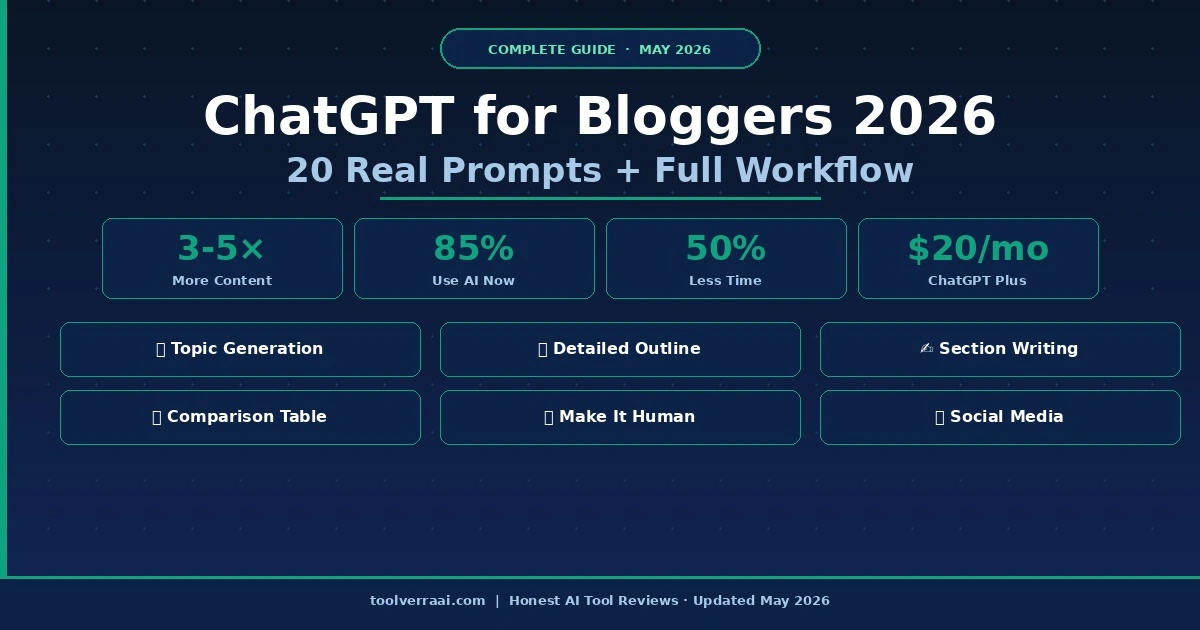
ChatGPT for bloggers is now the most searched topic in the blogging world in 2026 — and for good reason. Bloggers who use ChatGPT correctly are producing 3–5x more content without working longer hours. This guide shows you exactly how ChatGPT for bloggers works in the real world — with simple workflows and copy-paste prompts you can use today.
We will be honest with you: ChatGPT does not write great articles on its own. But when you know how to direct it, it becomes the most useful writing partner you have ever had. Think of it as a very fast assistant who needs clear instructions to do great work.
💡 Quick answer: ChatGPT for bloggers saves the most time on three things — finding topics, building outlines, and writing first drafts. The parts that still need your own touch: personal stories, fact-checking, and your unique opinion. That combination is what makes content rank in 2026.
Why ChatGPT for Bloggers Is Essential in 2026
Using ChatGPT for bloggers in 2026 is no longer optional — here is a number that will put things in perspective: 85% of content marketers now use AI for content creation, according to a 2026 industry survey. That means if you are not using ChatGPT, your competitors probably are.
But the real question for anyone thinking about ChatGPT for bloggers is not whether to use it — it is how to use it without making your content sound robotic. The bloggers who fail with ChatGPT use it wrong. They ask it to “write a blog post about X” and publish whatever comes out. The bloggers who succeed use ChatGPT as a thinking partner — not a ghostwriter.
3–5×More Content Output
85%Marketers Use AI
50%Less Time Per Post
$20/moChatGPT Plus
How ChatGPT for Bloggers Actually Works
ChatGPT for bloggers works by responding to your instructions — called “prompts.” The quality of what you get out depends entirely on what you put in. A simple, vague prompt gives you a generic, forgettable result. A detailed, specific prompt gives you something actually useful.
Here is the difference in practice:
❌ Bad prompt: “Write a blog post about AI tools”
✅ Good prompt: “Write a 1,500-word blog post about the best free AI tools for beginner bloggers in 2026. My audience is people who just started a blog and have a budget of $0–$20/month. Use simple language and include real examples.”
See the difference? Using ChatGPT for bloggers the right way means giving it a clear audience, a budget, a year, a word count, and a tone direction. That is what makes ChatGPT for bloggers actually work.
The 6-Step ChatGPT Blogging Workflow
Here is the exact workflow that productive bloggers using ChatGPT for bloggers follow in 2026. Follow these steps and your content quality will improve immediately:
1
Find Your Topic & Keyword
Before writing anything, you need a keyword that people actually search for. Use ChatGPT to brainstorm ideas, then validate them with a free tool like Ubersuggest or Google Keyword Planner. ChatGPT is great at generating dozens of topic ideas fast — but it cannot tell you actual search volumes. Always validate with a real SEO tool.
2
Research the Topic
Ask ChatGPT (with web access on) to summarize what the top articles about your topic cover — what questions they answer, what subtopics they include. This gives you a fast competitive analysis without reading 10 articles manually.
⚠️ Always fact-check statistics and dates from ChatGPT. It can sound very confident while being wrong about specific numbers. Never publish a statistic without verifying it from the original source.
3
Build Your Outline
Ask ChatGPT to create a detailed outline for your article. This is where it shines — it can produce a logical, structured outline in 30 seconds that would take you 20 minutes to build manually. Review it, rearrange sections if needed, and add your own angle before writing.
4
Write Section by Section
A key rule for ChatGPT for bloggers: do not ask it to write the whole article at once. Write one section at a time and give it more context each time. This produces far better results than a single “write my entire post” prompt. After each section, add your own experience, examples, or opinion before moving to the next.
5
Edit and Add Your Voice
This step is not optional. Read through every paragraph and ask yourself: does this sound like a real person talking? If not, rewrite it. Add a personal story, a specific example from your own experience, or your honest opinion. This is what separates content that ranks from content that gets ignored.
6
Optimize & Publish
Ask ChatGPT to help you write a compelling meta description and title. Then run the article through Rank Math in WordPress to hit 80+. Publish with a featured image (use ChatGPT’s DALL-E image generator on Plus, or create one in Canva). Done.
20 Real ChatGPT Prompts for Bloggers (Copy & Paste)
These are the prompts that ChatGPT for bloggers users on Reddit and in real content teams actually use. Replace the bracketed parts with your own details.
Topic & Keyword Ideas
📝 Prompt 1 — Topic Generation
I run a blog about [your niche]. My audience is [describe your readers]. Generate 15 blog post ideas that target specific long-tail keywords with low competition. For each idea, include the suggested title, the primary keyword, and the search intent (informational, commercial, or transactional).
📝 Prompt 2 — Keyword Clusters
I want to build a content cluster around the topic [main topic]. Create a list of 10 supporting articles that link back to this main topic. Include the title, target keyword, and a one-sentence description for each supporting article.
Research & Outline
📝 Prompt 3 — Competitor Analysis
Search the top 5 articles currently ranking for “[your keyword]” and analyze what they cover. What topics do all of them include? What questions do they answer? What important topics are they missing that I could cover to make my article better?
📝 Prompt 4 — Detailed Outline
Create a detailed outline for a [word count]-word blog post targeting the keyword “[your keyword]“. My audience is [audience description]. Include H2 and H3 headings, a brief note on what each section should cover, and a FAQ section with 5 questions real readers would ask.
📝 Prompt 5 — FAQ Research
What are the 10 most common questions people ask about [topic]? Look at what people search on Google, Reddit, and Quora. Give me the exact question as people phrase it, not a formal version.
Writing
📝 Prompt 6 — Strong Introduction
Write a compelling introduction for a blog post titled “[your title]“. Target keyword: [keyword]. The intro should include the keyword in the first sentence, address a pain point my reader has, and end with a clear promise of what the article will deliver. Keep it under 100 words. Write in a conversational, friendly tone — like explaining to a friend.
📝 Prompt 7 — Section Writing
Write the section “[section title]” for my blog post about [topic]. My audience is [description]. The section should be about 250 words, use simple language (no jargon), include one practical example, and end with a key takeaway. Avoid starting sentences with “I”.
📝 Prompt 8 — Product Review Section
Write an honest review section for [product name] for my blog post about [topic]. Include: what it is, who it is for, 3 pros, 2 cons, pricing, and a verdict sentence. Be direct and honest — mention the limitations. Write in simple, clear language.
📝 Prompt 9 — Comparison Table
Create a comparison table for [Product A] vs [Product B] vs [Product C] covering these features: [list features]. Use ✅ for strong, ⚠️ for average, and ❌ for weak or missing. Add a “Best For” row at the bottom.
📝 Prompt 10 — Conclusion with CTA
Write a conclusion for my blog post about “[topic]“. Summarize the 3 main takeaways in 2 sentences each. End with a clear call to action asking readers to try [tool/action]. Keep the whole conclusion under 150 words. Sound like a real person — not a corporate announcement.
SEO Optimization
📝 Prompt 11 — Meta Description
Write 3 different meta descriptions for a blog post titled “[title]” targeting the keyword “[keyword]“. Each should be under 158 characters, include the keyword, mention a specific benefit, and end with a call to action. Number them so I can choose the best.
📝 Prompt 12 — Title Variations
Generate 10 title variations for a blog post about “[topic]” targeting the keyword “[keyword]“. Include: listicles (use odd numbers like 7, 9, 11), how-to titles, question-based titles, and comparison titles. Make each one specific and click-worthy.
📝 Prompt 13 — AI Overview Optimization
Rewrite this paragraph to appear in Google AI Overviews. It should directly answer the question “[question]” in 2–3 short sentences. Start with the direct answer. Be factual and specific. Avoid filler phrases.
Content Repurposing
📝 Prompt 14 — Social Media Posts
I wrote a blog post about [topic]. Turn the key points into: 3 Twitter/X posts (under 280 characters each), 1 LinkedIn post (150 words, professional but approachable), and 3 Instagram caption ideas with relevant hashtags. Keep the same helpful, friendly tone.
📝 Prompt 15 — Email Newsletter
Turn this blog post about [topic] into a weekly email newsletter. Subject line should be intriguing (not clickbait). Body should be under 200 words, highlight the 3 most useful points, and link back to the full article. Write in a warm, personal tone like writing to a friend.
Editing & Improvement
📝 Prompt 16 — Make It Sound Human
Rewrite this paragraph to sound more human and less like AI. Remove filler phrases like “delve into,” “it’s worth noting,” and “in conclusion.” Make it direct, conversational, and specific. Keep the same meaning but make it sound like a real person talking: [paste your paragraph]
📝 Prompt 17 — Simplify Writing
Rewrite this text so a 12-year-old could understand it. Replace jargon with simple words. Break long sentences into shorter ones. Keep the same meaning and all the important information: [paste your text]
📝 Prompt 18 — Add Real Examples
This paragraph is too abstract. Add 2 specific, real-world examples that make the point clearer. The examples should be relatable to [your audience]. Keep the original point intact: [paste paragraph]
📝 Prompt 19 — Custom GPT System Prompt
You are a professional blog writer for [blog name]. Our blog covers [niche] for [audience]. Our tone is [describe: friendly/professional/conversational]. We never use jargon without explaining it. We always write in short paragraphs (3 sentences max). We include at least one practical example in every section. Every article should feel like advice from a knowledgeable friend — not a textbook.
📝 Prompt 20 — Build a Content Calendar
Create a 4-week content calendar for a blog about [niche] publishing 3 articles per week. Include: article title, target keyword, content type (review/comparison/how-to/listicle), and estimated word count for each. Focus on keywords with clear search intent and affiliate potential.
ChatGPT for Bloggers — Free vs Plus ($20/month)
A common question about ChatGPT for bloggers: do you need ChatGPT Plus at $20/month, or is the free version enough? Here is the honest answer:
Feature
ChatGPT Free
ChatGPT Plus ($20/mo)
AI Model
GPT-4o mini
GPT-4o (much better)
Web Search (current data)
Limited
✅ Full access
Image Generation (DALL-E)
❌ No
✅ Yes
Custom GPTs
Read-only
✅ Create your own
Context Window
Standard
Larger (better for long posts)
Rate Limits
Hit quickly
Much higher limits
Prompt Success Rate
~60%
~90%
Best For
Testing & occasional use
Daily blogging workflow
💡 Honest recommendation: Start with the free version of ChatGPT for bloggers. Use it for 2 weeks. When you start hitting rate limits daily — or when you need web access for research — upgrade to Plus. For bloggers publishing 3+ articles per week, Plus pays for itself immediately.
5 Mistakes Bloggers Make with ChatGPT (And How to Fix Them)
Mistake 1: Publishing Without Editing
The biggest mistake. ChatGPT produces a first draft — not a final article. Every paragraph needs a human review. Google can detect thin, generic AI content. Always add your own perspective, examples, and voice before publishing.
Mistake 2: Using Vague Prompts
The biggest ChatGPT for bloggers mistake: “Write a blog post about SEO” is not a prompt — it is a wishful thought. The more specific you are, the better the result. Tell ChatGPT your audience, the keyword, the tone, the word count, and the specific angle you want to take.
Mistake 3: Trusting Statistics Without Checking
ChatGPT can invent statistics that sound real. Never publish a percentage, study result, or specific number without checking the original source. This is the fastest way to destroy your blog’s credibility.
Mistake 4: Making Every Article Sound the Same
Without guidance, ChatGPT has a default writing style. After a while, all your posts start to sound identical. Solve this with a Custom GPT (Plus) trained on your writing style, or always include tone instructions in your prompts.
Mistake 5: Using It Only for Writing
Most bloggers only use ChatGPT for bloggers writing tasks. But it is equally valuable for: planning content calendars, researching competitor content, generating title ideas, writing email newsletters, creating social media posts, and building FAQ sections. Use it across your whole workflow, not just the writing part.
Using ChatGPT for Bloggers Without Hurting Your SEO
The question everyone asks: will Google penalize my blog for using ChatGPT for bloggers? The honest answer is no — as long as the content is genuinely helpful, accurate, and well-edited. According to Google’s official stance on AI content, they evaluate quality and helpfulness, not how content was produced.
What Google does penalize is low-quality, unedited AI content that provides no real value. The solution is simple: always edit, always add unique insights, always fact-check, and always write for your reader first — not for the search engine.
Always add personal experience or unique perspective that AI cannot replicate
Fact-check every statistic before publishing
Use Rank Math to optimize for your target keyword
Add original images, screenshots, or custom graphics
Write a FAQ section with Schema markup to appear in AI search results
Start Using ChatGPT for Your Blog Today
ChatGPT free gets you started. ChatGPT Plus at $20/month removes all limits. Try the prompts from this guide on your next post.
Yes — ChatGPT for bloggers can write complete posts. But you should not publish without editing. ChatGPT for bloggers works best as a first-draft tool. It can write a complete article in minutes — but without your editing, fact-checking, and personal voice, the content will feel generic and may not rank on Google. Think of it as a very fast assistant: it does the heavy lifting, you do the finishing.
No — ChatGPT for bloggers does not hurt SEO if you edit properly. Google’s official position is that they evaluate content quality, not whether AI was used to create it. ChatGPT for bloggers only hurts SEO when you publish unedited, generic AI output with no real value. Edit every article, add your own insights, fact-check statistics, and optimize with Rank Math. Done correctly, AI-assisted content ranks as well as manually written content.
Yes — ChatGPT for bloggers who publish 3+ articles per week is worth every dollar. ChatGPT Plus gives you the full GPT-4o model (significantly better than the free version), web access for current data, image generation with DALL-E, and Custom GPTs you can train on your own writing style. According to Reddit’s r/ChatGPT community, Plus users report 90% prompt success rates versus 60% on free. The $20 pays for itself with one well-monetized article.
The most effective ChatGPT prompt for bloggers includes: your niche, target audience, specific keyword, desired word count, tone description, and at least one example or angle you want to cover. Example: “Write a 1,200-word blog post for beginner bloggers about [keyword]. My audience has no technical background. Use simple language, include 3 practical examples, and write in a friendly, conversational tone.” Always write section by section rather than asking for the full post at once.
Five simple steps: (1) Remove AI phrases like “delve into,” “it’s worth noting,” and “in today’s fast-paced world.” (2) Add a personal story or specific example from your own experience. (3) Break long sentences into short ones. (4) Replace passive voice with active voice. (5) Ask ChatGPT itself to rewrite the paragraph in a more conversational tone — it is good at recognizing its own patterns. The goal is content that sounds like a real person talking, not a text generator.
TV
ToolVerraAI Editorial Team
We test ChatGPT for bloggers and other AI tools on real blogs every week. The prompts in this guide are ones we actually use — not theoretical examples. Last updated: May 2026.