

An all-in-one AI content creation tool may be the wrong choice, even if it promises to do everything. The better fit is the tool that addresses your biggest production bottleneck, whether that’s drafting articles, creating visuals, editing video, or connecting steps in your workflow.
When you compare options, the differences can blur fast. Writing, design, video, and workflow tools solve different problems, and generated content can still need editing and fact-checking. More features won’t help if they add complexity or go unused.
Use this guide to match a tool to the formats you produce, the way you work, and the quality checks your content needs. You’ll compare options using practical criteria, weigh an all-in-one platform against a specialist tool, and plan a manageable workflow that keeps human judgment in control. Start with the task that slows you down most, then assess which capabilities can make that work faster or better.
Key Takeaways
- Identify the production stage that costs you the most time before comparing tools.
- Match an ai content creation tool to your main format, quality requirements, and existing workflow.
- Compare options by output quality, editing control, format fit, learning curve, and workflow compatibility.
- Use a focused trial with one content goal and one measurable constraint to judge whether a tool earns a place in your process.
- Explore ToolVerraAI’s curated directory to discover third-party tools that may fit your needs.
What an AI content creation tool does, and where it fits
An AI content creation tool is software that uses artificial intelligence to assist with one or more content-production tasks. It might generate a first draft, suggest an outline, help edit a video, or organize assets. The category is broad: some tools focus on one format, while others combine several functions. The label alone won’t tell you whether a tool fits your work.
Many text-based tools use techniques related to Natural Language Processing (NLP) to interpret prompts and generate or revise language. Other tools work with images, audio, or video. In every case, AI assistance is a starting point, not proof that the output is accurate, original, or ready to publish.
Assess fit in three parts: the format you produce, the stage where work slows down, and the amount of human review the output needs. A writer who needs help structuring a blog post has a different bottleneck from a creator who needs to turn a finished article into social assets. One platform doesn’t have to cover both.
Which content tasks can AI tools support?
AI can assist at different points in a content workflow. Some features generate material; others help plan, refine, or move it between stages. For example, a creator might use:
- Ideation and planning: Generate topic prompts, organize a content calendar, or shape a rough brief into an outline.
- Text creation: Draft sections for a blog post, propose email subject lines, or adapt a message for a social caption. Treat suggestions as editable material, not final copy.
- Visual production: Create or adjust images and design elements for a newsletter, social post, or article graphic, depending on the tool’s capabilities.
- Video assistance: Help edit footage, add captions, or identify segments to repurpose into shorter clips, where supported.
- Editing and repurposing: Review wording, reshape a long-form idea for another channel, or prepare variations for different audiences.
Planning, generation, editing, and workflow automation are distinct capabilities. A planning feature may help organize a campaign without producing finished assets. A generator may create a draft but leave editing and approvals to you. Before choosing, check which stage the tool supports and what work remains yours.
What AI content creation tools do not replace
A person still needs to take responsibility for AI output. Check facts, avoid copied or misleading material, and make sure the content answers a real audience need. A polished tone doesn’t guarantee accuracy or relevance.
Brand voice and subject expertise also need direction. Give the tool clear context and examples, then review the result before publication. Choose for the task you need help with rather than expecting every tool to manage your full process.
Map AI content creation tools to your production workflow
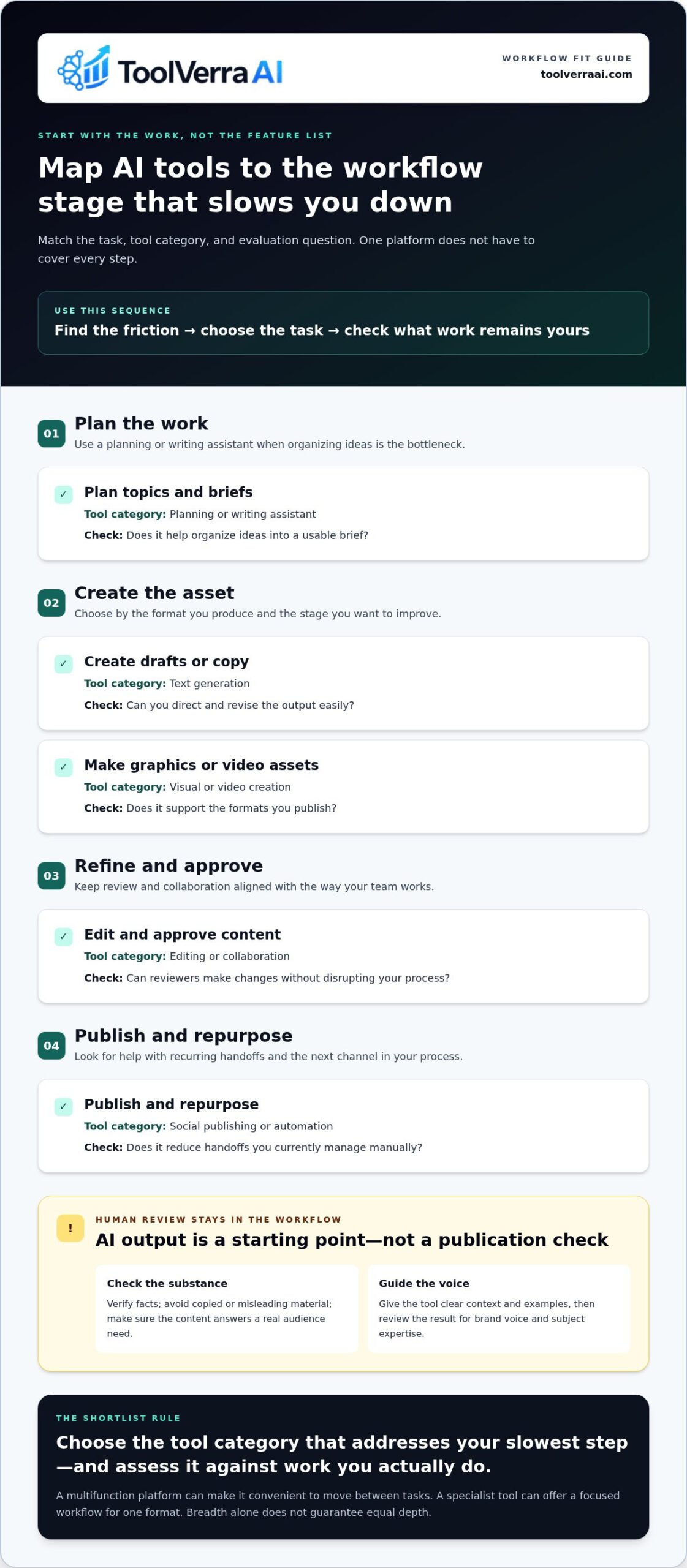
Start with your process, not a feature list. A typical content workflow moves from planning to creation, editing, approval, publishing, and repurposing. AI can assist at several points, but you can combine specialist tools with your existing process instead of forcing every task into one platform.
For example, a text-focused tool might help shape a brief or draft an email, while a design tool supports article graphics. A video tool may help edit footage, and a social publishing tool may help schedule finished posts. Automation tools can connect recurring steps, such as moving an approved draft into a publishing queue. Each category addresses a different kind of friction.
Match tool categories to content formats
Choose by the asset you need to produce and the stage you want to improve. Text tools focus on writing; visual tools support graphics and layouts; video tools assist with footage or clips; social tools may bring creation and publishing tasks together. Piktochart’s social-focused guide is an example of a narrower use case. A creator making blog posts, newsletters, and videos needs to assess a wider mix of formats.
Multifunction platforms can combine several categories, but breadth doesn’t guarantee equal depth in each one. A platform may make it convenient to move between tasks, while a specialist tool may offer a more focused workflow for one format. If text creation is part of your process, IBM’s explanation of NLP provides background on technology used in language-related applications. Evaluate each category against work you actually do.
Find the workflow bottleneck before comparing features
Pinpoint the slowest step: choosing topics, producing first drafts, creating visuals, editing, or handling repetitive handoffs. Then define the improvement you want. If design production delays a weekly newsletter, for example, look for support with that asset rather than adding another writing tool. A measurable constraint, such as reducing manual transfers between steps, makes comparisons more practical.
Use this map to turn a broad search for an ai content creation tool into a focused shortlist:
| Workflow task | Tool category | Evaluation question |
|---|---|---|
| Plan topics and briefs | Planning or writing assistant | Does it help organize ideas into a usable brief? |
| Create drafts or copy | Text generation | Can you direct and revise the output easily? |
| Make graphics or video assets | Visual or video creation | Does it support the formats you publish? |
| Edit and approve content | Editing or collaboration | Can reviewers make changes without disrupting your process? |
| Publish and repurpose | Social publishing or automation | Does it reduce handoffs you currently manage manually? |
Fix one bottleneck first. Overlapping subscriptions can add setup and switching work instead of removing it. Once you know the format and workflow step you need help with, browse an AI tools directory to find options to evaluate against that specific need.
Compare AI content creation tools on quality, control, and fit
Look beyond polished demos. Test each option against the same representative task, such as drafting a section of a real article or creating a visual for an upcoming campaign. Keep the brief, source material, and requested output consistent. Then assess how well each tool supports the work you need to complete.
A fair tool comparison uses the same task, inputs, and evaluation criteria for every option. This makes differences easier to spot and reduces the chance that a strong sample or feature list will outweigh day-to-day usability.
| Criterion | What to assess | Practical evaluation question |
|---|---|---|
| Output quality | Relevance, clarity, factual support, and tone | Does the result meet your brief, or require substantial rewriting? |
| Editing control | How easily you can revise, guide, and review output | Can you make precise changes without restarting the task? |
| Format fit | Support for the content type you produce | Does it handle your blog, email, social, visual, or video needs? |
| Learning curve | Setup effort and ease of completing common tasks | Can you use it confidently without a complicated process? |
| Workflow compatibility | How well it fits your current tools and handoffs | Does it simplify your process or create extra steps? |
Assess output quality and editorial control
Review the output against your brief, not just for fluency. Check whether it stays on topic, explains ideas clearly, follows the requested tone, and distinguishes supported facts from assumptions. Then test how easily you can refine a sentence, adjust a visual, or guide another draft. A useful tool lets you shape its work while keeping a human review step before publication.
Verify factual claims and source-dependent statements independently. A confident-sounding answer is not evidence. Note the corrections you make during the test, and whether the tool makes review manageable. The amount and type of editing required are part of output quality.
Evaluate usability, integrations, and value
Factor in setup time, the steps needed to complete a real task, and compatibility with the tools you already use. A feature that duplicates something in your current setup may add little value. Compare the time or friction it removes with any new handoffs, learning, or maintenance it introduces. Choose for practical fit, not feature count.
Plans change. Verify current pricing, free access, usage limits, and terms before publication or purchase; don’t rely on undated comparisons. A free option may be enough for a limited task, while a paid plan may make sense if its capabilities address a recurring need.
For a focused test, give each shortlisted ai content creation tool the same brief and inputs, then score the results against the table. Record useful strengths, required edits, and workflow friction. That evidence helps you compare tools based on how they perform in your process, not on promises alone.
Choose an AI content creation tool with a practical test
A short, repeatable trial is more useful than a long feature checklist. Before comparing options, define what you need to produce, what slows you down, and what a useful improvement would look like. Shortlist tools by the task you need to complete, the quality you expect, and the fit with your workflow.
- Set one content goal. Choose a specific outcome, such as preparing a newsletter draft or creating campaign visuals. Avoid testing several unrelated needs at once.
- Name one primary format. Decide whether the trial is for text, images, video, or another format you regularly create. This keeps the comparison relevant to your work.
- Choose a measurable workflow constraint. Identify one friction point, such as editing time, repeated manual handoffs, or difficulty keeping drafts on brief. Define what improvement would make a tool useful.
- Prepare a representative brief. Use the same prompt, source material, audience, tone guidance, and output requirements for every shortlisted option. Choose a task similar to work you’d genuinely publish, not a generic prompt designed to flatter a tool.
- Review a realistic trial. Score each result against your criteria, then note setup effort, editing time, relevance, usability, and facts that need verification. Consider current plan terms and limits before deciding whether the tool fits ongoing use.
Run a small, repeatable tool test
Keep your test conditions consistent. If one option gets detailed background information and another gets only a short prompt, the comparison won’t tell you much. Record how closely the result follows the brief, how much editing it takes, and whether the interface helps or interrupts your process. A polished vendor example can show what’s possible, but it won’t show how the tool handles your everyday inputs.
Use a simple scorecard instead of relying on first impressions. Rate the output’s relevance and clarity, the effort needed to revise it, and the verification required before publication. Add a short note explaining each rating. This gives you practical evidence for your decision and makes trade-offs easier to see.
Set guardrails for responsible publishing
Keep a person accountable for the final editorial decision. Check claims against reliable sources, assess originality, and make sure the material serves your audience. Review privacy terms before sharing confidential or sensitive inputs, and check applicable platform policies for the channels where you plan to publish. For regulated or source-dependent subjects, set clear rules for what AI can assist with and what requires expert review.
One test won’t predict every use case, but it can reveal whether an ai content creation tool supports the task without shifting too much work into editing or verification. To build a shortlist around your format and production needs, explore the AI tools directory.
Discover a better-fit tool through ToolVerraAI
You now have a practical way to decide: define the format you produce, pinpoint the workflow bottleneck, and set the quality standard the finished work needs to meet. That gives your search a clear purpose. Rather than collecting tools because they promise more features, look for options that help with a specific task and fit the way you create.
ToolVerraAI is an independent software discovery and review platform. Its curated AI Tools Directory helps bloggers and entrepreneurs discover and compare third-party tools. Use the reviews and directory to build a shortlist, then compare relevant options against your own workflow and quality requirements.
Use a directory to continue your shortlist
Begin with the category that matches your goal, such as writing, visual creation, video, or workflow support. Then apply the same comparison criteria to each relevant option: output quality, editing control, format fit, learning curve, and compatibility with your process. Keep the shortlist focused. Exploring options tied to a defined task makes it easier to compare capabilities instead of getting sidetracked by unrelated features.
Before choosing, review each provider’s current capabilities, plan terms, and usage limits. Product details can change, so use up-to-date provider information when making a final decision. ToolVerraAI’s directory includes third-party referral links, and affiliate relationships should be disclosed clearly so you can understand how the site connects to the tools it discusses.
Turn the choice into a manageable workflow
Start small: use one tool for one recurring content task. For example, try a writing assistant for a regular email draft or a visual tool for a repeated graphic need. Keep your usual editorial review in place, then assess whether the tool makes the process more efficient without lowering the quality bar.
- Saved effort: Does the task take less time or require fewer repetitive steps?
- Editorial quality: Can you bring the result up to your standards with a reasonable amount of review?
- Workflow consistency: Does the tool fit your routine, or create extra handoffs and rework?
Keep using the tool only if it makes a meaningful difference. This measured approach lets you learn where an ai content creation tool helps before adding more subscriptions or automating additional steps.
Explore the ToolVerraAI AI Tools Directory to discover third-party options for your content workflow.
Make your next tool choice a small, useful experiment
Put your selection framework to work on one recurring task. Choose an upcoming piece of content, note how your current process works, and try a candidate tool on that specific job. The goal isn’t to automate everything. It’s to learn whether a tool makes this part of your work easier while keeping your editorial standards intact.
If you want to widen your shortlist, ToolVerraAI’s curated directory helps bloggers and entrepreneurs discover third-party AI tools, with informational reviews to support your research. Use those resources as a starting point, then review each provider’s current details before deciding. Affiliate relationships connected to third-party referral links are disclosed so you can make an informed choice.
Explore AI tools for your content workflow to find options that match the task you want to improve. Start with one practical test, keep what genuinely helps, and build from there. You can make a considered choice without paying for features your workflow doesn’t need.
Frequently Asked Questions
What is an AI content creation tool?
An AI content creation tool is an application that uses AI to help produce or modify content, such as suggesting headline options, drafting an email, or generating an image from a prompt. Some tools focus on one task; others combine several capabilities. The practical distinction is what work the software handles: creating an asset, helping revise one, or organizing production. That scope shows where your judgment and effort are still needed.
Can AI content creation tools create content for multiple platforms?
Yes, some support multiple channels, but their capabilities vary by format. A platform might help draft a blog outline and adapt its ideas into social captions, while leaving visual design or video work to other software. Treat each channel as a separate deliverable. Check length, tone, dimensions, accessibility, and audience conventions instead of publishing the same adapted draft everywhere. Confirm that the tool supports the formats you need before building your workflow around it.
Are AI content creation tools suitable for beginners?
Yes. Beginners can start with bounded tasks, such as brainstorming newsletter subject lines or turning notes into a first draft. Give the tool a clear prompt that names the audience, purpose, and constraints, then review what it produces. Straightforward controls can make setup easier, but they can’t replace your understanding of what useful content looks like. Choose a low-risk task first so you can learn without disrupting a major publishing commitment.
How do I choose an AI content creation tool?
To choose an ai content creation tool, write a short requirements list before comparing options. Mark each item as essential or optional, such as support for a particular format, an easy way to revise output, or compatibility with a tool you already use. Apply that list to a real piece of work, not a generic demo. Then check current plan limits and terms so your shortlist reflects both practical fit and intended use.
Can AI-generated content be published without editing?
Usually, it needs review before publication. A draft may include unsupported claims, generic phrasing, or details that don’t reflect your experience. Verify names, dates, statistics, and source-based statements, then remove claims you can’t support and add useful context. Review depth should match the risk: an internal brainstorm may need a lighter check than public-facing technical advice. Keep a human editor accountable for the final version.
Do I need one AI tool or several for content creation?
You don’t automatically need several. Start with a tool for your most frequent task, then add another only if it serves a distinct need or format. For example, a writing tool may help with drafts but won’t necessarily meet a creator’s video-editing needs. Keep track of each tool’s role and overlapping features. If managing them creates extra steps without improving your work, simplify the setup.